
Inventory software without a subscription can suit a small shop that wants predictable ownership costs and a straightforward stock workflow. The important question is what the purchase actually includes: the application, supported devices, data access, updates and any services that still carry recurring charges.
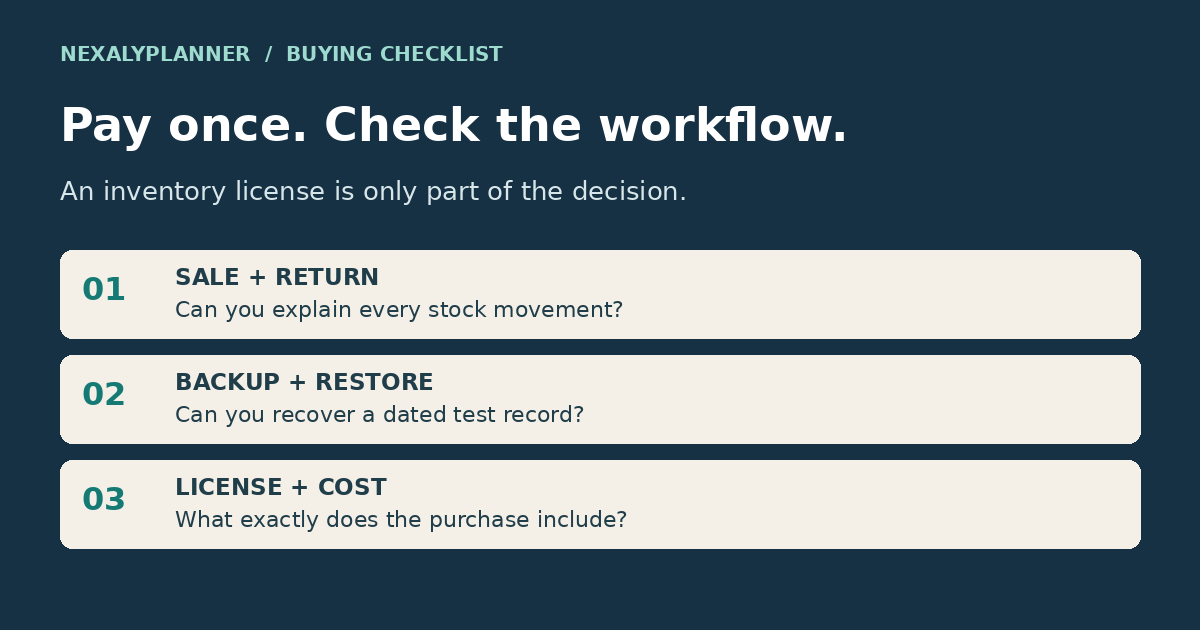
Before choosing a one-time-purchase inventory tool, test a complete sale, return and backup. A dashboard alone does not show whether the software can handle the situations that occur in your business.
Use the practical buying checklist below to record evidence for each tool. This guide compares purchasing and operating models; it is not a hands-on ranking of named software vendors.
Separate the payment model from the operating model
“One-time purchase,” “offline” and “lifetime use” describe different things.
A one-time purchase explains how you pay for the stated license. Offline operation means the relevant functions can run without a connection after setup. Lifetime use needs a definition: it may refer to continued use of a purchased version, while support or major upgrades have separate terms.
Ask what happens if you replace your computer, change browsers or need to reinstall. Also check whether a required service—such as synchronization, hosting or a payment integration—has its own cost. An application can have a one-time license while some optional services remain recurring.
Compare three practical ways to keep inventory
| Approach | Useful when | Main question to resolve |
|---|---|---|
| Manually maintained spreadsheet | Your workflow is small and a clear owner updates it | Can you reconcile changes without losing history? |
| Locally stored inventory application | You want structured records on a designated device | Can you back up, restore and export reliably? |
| Service with shared online access | Staff need current information across locations | What access, integration and recurring terms apply? |
These are operating categories, not universal feature promises. Individual tools can combine them. Compare the specific version and plan you intend to buy.
If you are still defining your stock fields, begin with the boutique inventory spreadsheet. It helps you establish the workflow before deciding which software should support it.
Test a normal sale and a difficult sale
Enter a product with two sizes. Add starting inventory, create an order and fulfill part of it. Check the remaining stock, outstanding quantity and customer balance.
Then test an exception: a cancelled order, a sellable return or a damaged return. Ask these questions:
- Does the original record remain understandable after the change?
- Can you distinguish reserved units from shipped units?
- Does a partial shipment leave the remaining quantity open?
- Can you explain how a return changes both stock and money records?
- Can you correct a mistake without silently duplicating the transaction?
Use small quantities you can verify by hand. For example, begin with 10 units, ship two and expect eight before other movements. If you cannot explain the result, resolve that issue before importing your full catalog.
Check data recovery before relying on local storage
An offline tool still needs a recovery plan. Data may be held in a local file, a database or browser storage. Those arrangements behave differently when devices fail, files move or browser data is cleared.
Find the documented backup and restore steps. Create a small sample record, export a backup and verify that the documented restore process brings the record back in a safe test environment. Do not overwrite your only working copy while testing.
Keep a dated backup outside the main working location. A second copy on the same failing device may not help you recover. Choose storage and access controls appropriate to the business information involved.
An export for reading and a backup for restoration may also be different files. Check both. A CSV can help you inspect records, but it may not preserve all application settings or relationships.
Verify the everyday details
Your evaluation should cover the actual devices and browser versions your staff use, the currencies you need, the number of users permitted and the license scope. A personal license may differ from permission to use the tool across a business or several locations.
For physical goods, check variants, purchase receipts, returns and stock adjustments. For operations, inspect search, filtering, readable order records and the reports you actually need. If barcodes, scanners or storefront synchronization matter, obtain explicit confirmation instead of assuming they are included.
Run the test with your longest product names and a realistic selection of records. A clean demo with three products can hide a layout problem that appears with your full catalog.
Compare costs over the same period
Write down the upfront license, required recurring services, optional upgrades, support terms and any migration work. Compare the same time period for every option. Keep hypothetical comparisons separate from vendor prices, which can change.
Also consider the work the tool leaves with you. A lower license cost may come with manual backups or manual imports. That can be an acceptable trade-off when it fits your routine; it needs to be visible in the decision.
Avoid giving a tool the highest score simply because it has the longest feature list. Mark essential requirements as pass, fail or needs verification. A failed must-have should remain visible even if optional features look attractive.
A practical buying checklist you can use now
Copy these tests into your evaluation notes. Record the product version, test date and actual result. A feature named on a landing page is a starting point; a completed sample task is stronger evidence that the workflow fits your needs.
| Test | Sample task | Evidence to keep |
|---|---|---|
| Sale and return | Start with 10 units, ship 2, then return 1 sellable unit | Stock ends at 9; movement history explains every change |
| Damaged return | Return an item that cannot be resold | Item stays out of available stock; money and stock treatment are clear |
| Partial receipt | Order 12 units and receive 5 | 5 usable units received; remaining 7 stay visible |
| Recovery | Back up a named sample record and restore in an isolated test | Record, relationships and required settings survive |
| Offline access | Follow setup instructions, disconnect and repeat an essential task | Which functions work locally and which still need internet |
| License scope | Check users, devices, upgrades and support terms | Written terms for the exact version you intend to buy |
These are evaluation tasks, not a promise that every product supports them. Mark unsupported functions explicitly. If a feature is essential, resolve the gap before purchase. Do not enter real customer data into unfamiliar trial tools just to complete a test.
A three-year cost comparison without invented vendor prices
Consider two fictional offers. Option A costs $30 once and requires no recurring service for your chosen workflow. Option B costs $10 per month. Their direct license costs over 36 months are $30 and $360. That $330 difference does not value either tool's labor savings, support or integrations.
If Option A needs an extra 30 minutes of manual work each month, that is 18 hours over the same period. At an illustrative value of $20 per hour, the extra time is worth $360. This is why the cheaper license may not be the cheaper operation. Use your own time estimate, include taxes and any required extras separately, and never treat these fictional prices as competitor quotations.
Check the replenishment decision, not just the low-stock color
Ask how the software treats stock already on order and quantities committed to customers. A red stock indicator can be misleading if a replenishment order is already in transit. Our reorder point calculation with open-order examples gives you quantities to test and explains why a trigger differs from an order quantity.
Where NexalyPlanner fits
For SKU records, suppliers, purchase orders and receiving, review the NexalyPlanner Inventory & Procurement Planner. Its product page describes an offline HTML system with browser-local records, JSON backup/import and CSV reporting. Use the actual preview and current terms to evaluate your requirements.
If your main task is keeping customer orders and stock connected, compare the Sales Management System. Choose by the workflow you need. Do not assume either local application provides live storefront synchronization or shared cloud access.
For an example of the records that should stay connected, see sales and inventory tracking for a small business.
Make the purchase decision from recorded evidence
Before paying, make a short decision sheet for the exact edition you evaluated. Use three columns: requirement, evidence, and unresolved question. For example, “recover after a lost device” needs a compatible backup and a documented restore process; “export a stock list” needs a readable export. Passing the export check does not also pass recovery.
Label each result verified in sample, documented but not tested, or unsupported. Keep a screenshot or non-sensitive sample reference where useful. A feature blocked in a demo stays untested; do not treat the block as proof that the purchased edition works or fails. Decide whether that uncertainty affects a must-have before purchase.
For NexalyPlanner, separate the app from this article’s general evaluation tasks. The Boutique planner guide describes manually maintained stock and money logs. The OwnerOS setup and evidence guide explains local records and review signals. Neither should be assumed to provide an automated storefront connection because it covers inventory. Keep the purchase decision with your chosen version and working-copy arrangement.
Frequently asked questions
Does no subscription mean no future cost?
Not necessarily. Read the license, upgrade and support terms, and check the cost of any required services. A one-time payment should have a clearly stated scope.
Is offline inventory software automatically more secure?
Offline storage changes where data is held and who manages it. Device access, backups, recovery and software maintenance still matter. Evaluate those controls instead of treating “offline” as a complete security assessment.
Can more than one person use an offline app?
That depends on the product and license. Check both permission to use it and how records are shared. Separate copies may not synchronize, even when several people are allowed to open them.
What is the most useful pre-purchase test?
Complete an ordinary sale, a partial shipment, a return and a backup-and-restore check with sample data. Those actions reveal more about fit than a feature count alone.
One practical check for your next review
Test one awkward repair transaction before choosing a tool: reserve a part for a work order, receive another shipment, issue the reserved part, then cancel a different job. Can the tool show on-hand and available quantities separately, explain each adjustment and export or restore the record? Review its actual demo rather than assuming a feature from a sales page. Our repair-shop parts workflow provides sample events to test.
Test lot history and offline handoffs when your work requires them
A maker may need more than SKU counts. Build a non-sensitive test with one source lot used in two production batches and one batch containing two source lots. Ship some finished units, hold others and record a return. Ask the tool to trace both directions and explain the quantity still on site. The batch and lot log worked example gives a small, reconcilable dataset. A total count that looks correct does not prove source and destination links survive.
A rental owner has a different test: block one unit for maintenance, then attempt to plan a booking inside the hold. Review whether the conflict remains visible and what staff must do to resolve it. Use the rental maintenance and booking example to distinguish service history from customer availability. Neither lot genealogy nor rental scheduling should be assumed from the word “inventory.”
Assign ownership of a browser-local working copy
Suppose two staff members open separate local files on separate devices. If those copies do not synchronize, a receipt entered on one device will not automatically appear on the other. Write down which record is authoritative, who makes changes and how others receive an approved current view. A license allowing business use does not by itself create multiuser collaboration.
For a recovery test, retain the current backup, restore a sample into an isolated workspace, and check a known item, its movements and linked records. Opening a CSV proves that text can be read; it may not reconstruct lots, orders or settings. Record the version and export format used. If simultaneous editing, remote approvals or automatic storefront imports are essential, verify those capabilities explicitly before choosing an offline workflow. A one-time price should not hide a mismatch with the way your team works.