
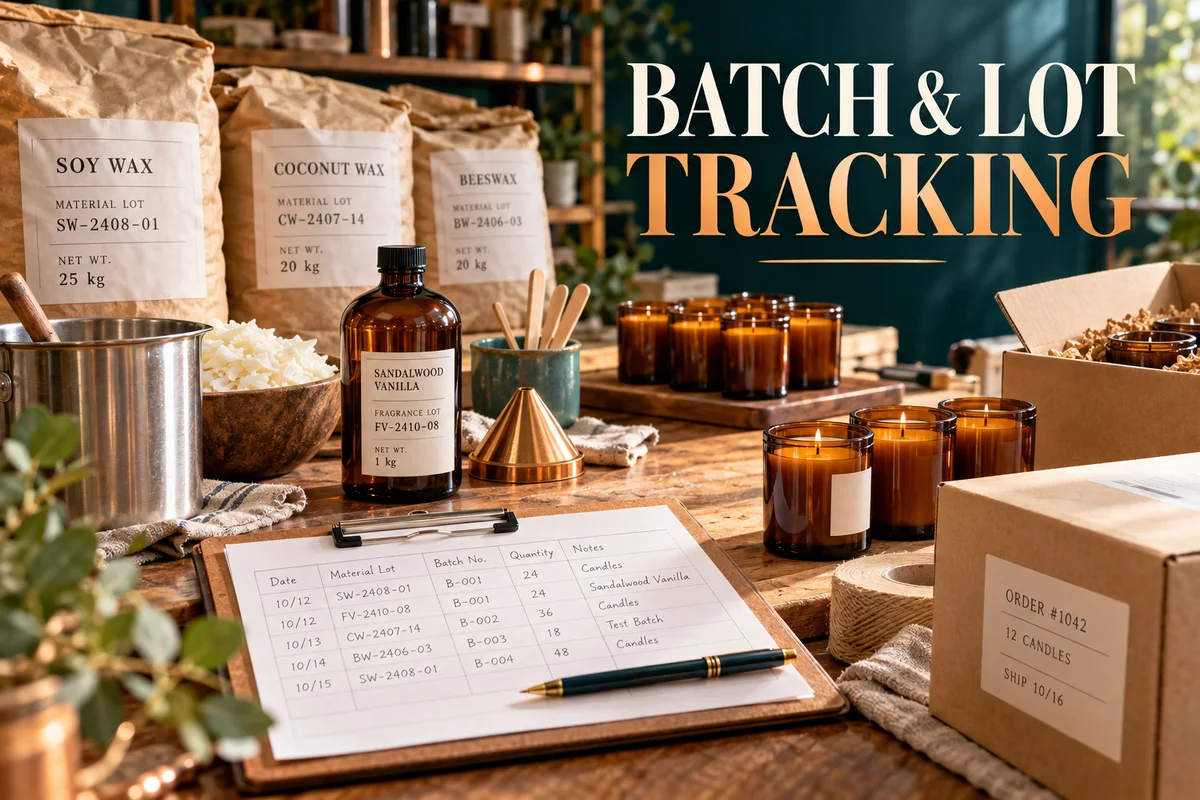
A batch and lot traceability log should answer two questions: which incoming materials went into this finished batch, and where did the finished units go? Stock totals alone cannot answer either one. Preserve the links at receipt, production and shipment.
This guide uses a fictional candle studio to demonstrate the records. Its quantities are planning examples, not customer results or production instructions. Product and sector requirements differ; the starter is an operational aid, not a complete regulatory record system.
Download the free batch and lot log starter CSV
Each row records a linked movement or production event. The sample file is plain CSV, with no formulas or macros. Copy the structure for your workflow; keep the original sample separate from live business records.
Use distinct identifiers for product, lot and batch
A product SKU describes the item you make. An incoming supplier lot identifies a specific source group. A production batch identifies your particular run. A finished lot connects the output to stock and shipments. These codes may be related, but one generic product code should not replace all of them.
| Record | ID | Meaning |
|---|---|---|
| Finished product | CANDLE-200 | The product variant |
| Supplier wax lot | WX-A | 20.0 kg received from one source lot |
| Supplier fragrance lot | FR-B | 2.0 kg received from a second material lot |
| Production batch | PB-1003 | The October 3 production run |
| Finished lot | FL-1003 | Output from PB-1003 |
Keep supplier codes exactly as supplied, alongside your internal incoming-lot ID if you use one. Retain the purchase receipt, quantity, unit, received date and storage location. Do not silently replace a missing supplier lot with the product SKU. Flag the missing identification and handle it through your actual receiving procedure.
The GS1 traceability overview describes linking inputs with outputs through internal processing and preserving movement relationships. This example applies that general idea using simple records; it does not claim GS1 certification or implementation of every GS1 standard.
Maintain the links in separate event records
- Receipt: source lot, internal lot, supplier, date, quantity, unit and evidence reference.
- Consumption: batch ID, material lot, actual quantity used, unit and entry reference.
- Output: batch, finished lot, produced quantity, checks and disposition.
- Movement: finished lot, date, quantity, location or destination and order reference.
One batch can consume several material lots, and one incoming lot can feed several batches. Use one consumption row for each actual lot-to-batch connection. Writing “wax” on a batch record hides which delivery supplied it. Writing only “10 kg” hides whether that quantity came from one lot or two.
Work through a batch and reconcile each unit
PB-1003 consumes 10.0 kg of WX-A and 1.0 kg of FR-B, or 11.0 kg total material. The studio records 50 filled candles with 0.20 kg of fill each, totaling 10.0 kg of fill. The remaining 1.0 kg is documented process residue or loss in this simplified example. Jar and packaging weight is excluded from the fill-weight reconciliation; track their lots separately if needed.
These amounts illustrate arithmetic only. They are not a recommended candle formula. Keep actual weighed consumption, yield and loss in compatible units rather than using theoretical output as proof of what happened.
| Event | Quantity | Record |
|---|---|---|
| Produced | 50 units | PB-1003 output |
| Rejected / segregated | 2 units | Quality event Q-1003 |
| Released | 48 units | Authorized release record |
| Shipped to destination A | 18 units | Order SO-201 |
| Shipped to destination B | 12 units | Order SO-202 |
| Released stock remaining | 18 units | 48 − 18 − 12 |
The complete finished-unit balance is 50 produced = 2 rejected + 18 shipped to A + 12 shipped to B + 18 remaining. The incoming WX-A balance is 20.0 received − 10.0 consumed = 10.0 kg remaining; FR-B is 2.0 − 1.0 = 1.0 kg. A physically counted difference needs an explained adjustment, not a forced balancing number.
Test both directions with a mock exercise
For a backward trace, begin with order SO-201. Its 18 units came from FL-1003, produced in PB-1003 using WX-A and FR-B. Check that the shipment, finished lot and consumption records agree. If the order contains several lots, trace each shipment line.
For a forward trace, begin with WX-A and list every batch that consumed it. In this deliberately limited dataset there is only PB-1003. Its finished lot has 30 shipped units at two recorded destinations, 18 released units still held by the studio and two rejected units accounted for separately. Real data may show additional batches, returns or destruction events; search them rather than assuming the example's scope.
Save the exercise date, starting code, records checked, affected quantities, missing links, owner and corrective action. A successful mock trace demonstrates what the records can explain in that test. It is not proof of a legally sufficient recall plan, and it does not decide whether a real incident requires notifications.
Handle returns, mixed lots and corrections explicitly
If four units from SO-201 return, record their original finished lot, return reference and condition. Segregate them pending your review; do not automatically add them to available stock. The returned quantity is a new movement, not a reason to delete the original shipment. Keep historical shipped quantities separate from the current location balance.
If the next run consumes the remaining 10.0 kg of WX-A plus 2.0 kg of another wax lot, enter two rows. If someone corrects a consumption quantity, preserve the earlier value, reason, author and date through your record process. A formula change that alters every old batch without an explanation makes investigations harder.
Use consistent units. A receipt in pounds and consumption in kilograms needs an explicit conversion and appropriate precision. Packaging counts need their own unit balance; do not combine kilograms, jars and shipping cases into a single quantity total.
Start small, then evaluate an app against the same example
- Choose stable product, incoming-lot, batch and finished-lot identifiers.
- Record one receipt with its source evidence.
- Enter one actual batch with lot-specific consumption and disposition.
- Ship from the exact finished lot and retain destination references.
- Run the backward and forward tests; resolve missing links before expanding.
BatchTrace OS links materials and incoming lots to batches, quality records, finished inventory and destinations, with forward/backward tracing and mock-recall records. Read the BatchTrace user guide for the actual setup. It is a paid offline HTML app with local browser records and JSON backups, not the free CSV starter above. The public demo reserves exports for the purchased version.
For broader buying criteria, use the inventory software evaluation checklist. For replenishment, use the reorder-point examples; traceability and purchasing answer different questions. Back up dated records outside the working browser and test restoration. A completed trace depends on the records entered, not merely on having installed software.