Home › Business Operating Systems › Inventory & Procurement Planner
Try before you buy

Try the Inventory & Procurement Planner

Enter a sample item, supplier and purchase record to test the inventory and procurement workflow. Temporary demo data remains only in this browser tab.

1Add an inventory item
2Create a supplier
3Test a purchase order
4Check stock status
NexalyPlanner Live Demo Temporary test data

A working preview, not a video

Use the real interface with sample information. Export, backup, upload and printing stay reserved for the purchased version.

Use sample information only—do not enter private customer, student, tenant or payment data.Share feedback
Ready for the complete planner?One-time purchase · instant download · no subscription
Get the full version — $11.99

Review or improve this product

Submit a review, suggestion, general comment or private problem report. Nothing is published without permission and approval.

Customer reviews

Only customer-approved and manually moderated reviews appear here.

Approved customer reviews will appear here.

Every screen, up close

See the inventory and purchasing workflow from product records and stock movements through receiving and low-stock review.
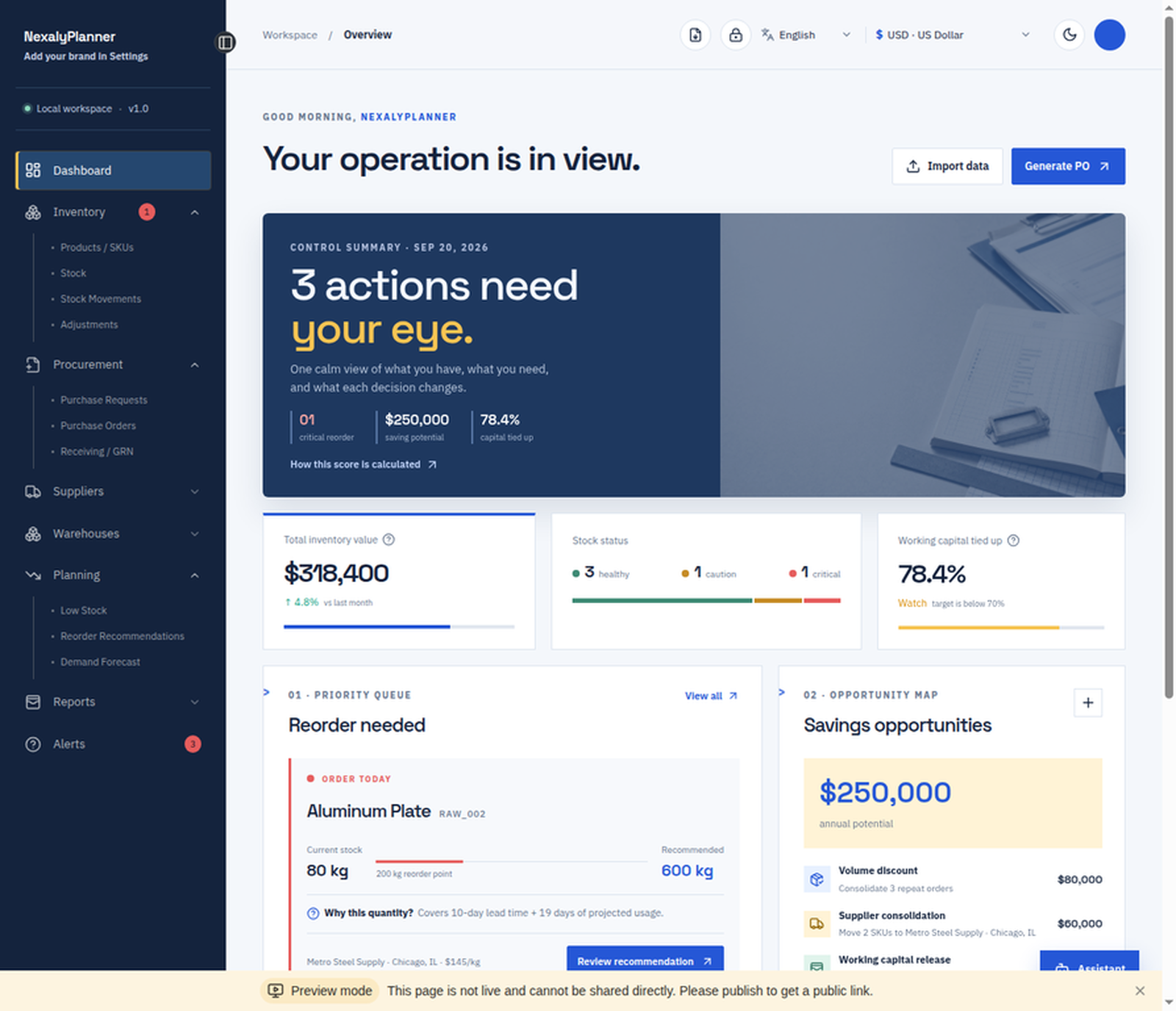
NexalyPlanner inventory and procurement dashboard showing stock value, working capital, reorder needs and savings opportunities
See inventory health and priorities
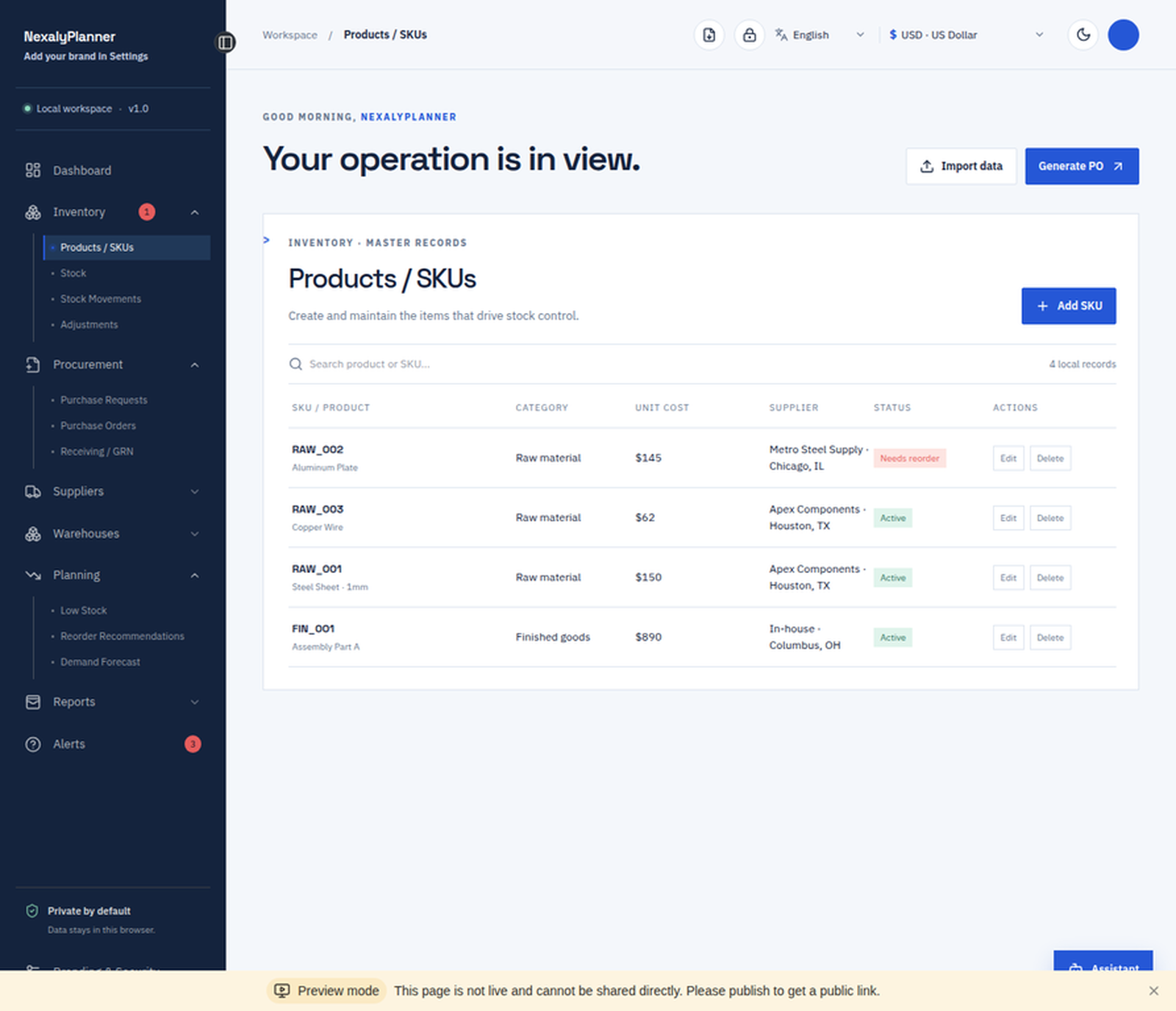
Inventory products and SKUs screen with category, unit cost, supplier, status and add SKU controls
Organize products and SKU records
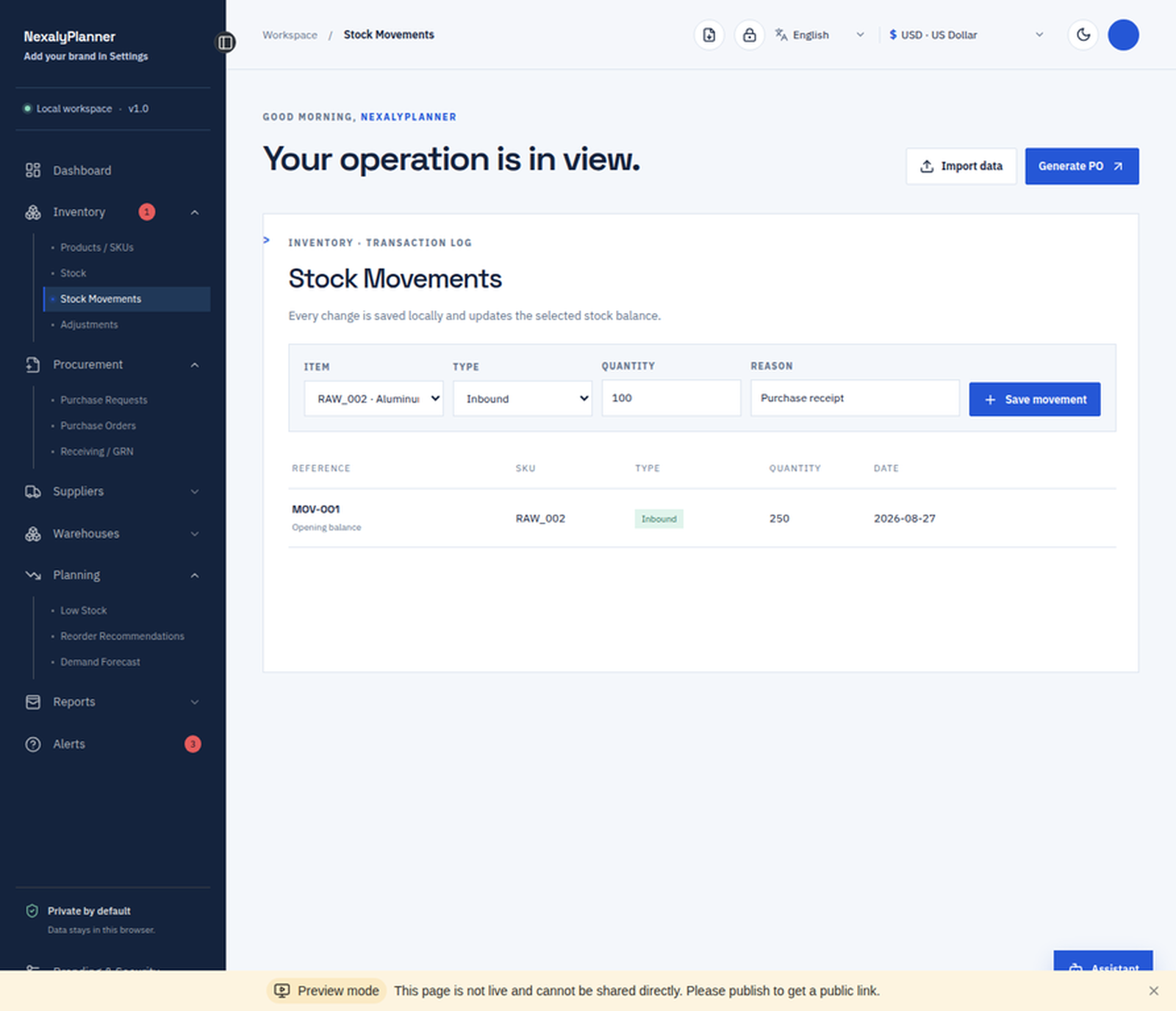
Stock movements screen for recording inbound, outbound and adjustment transactions by SKU
Record every stock movement
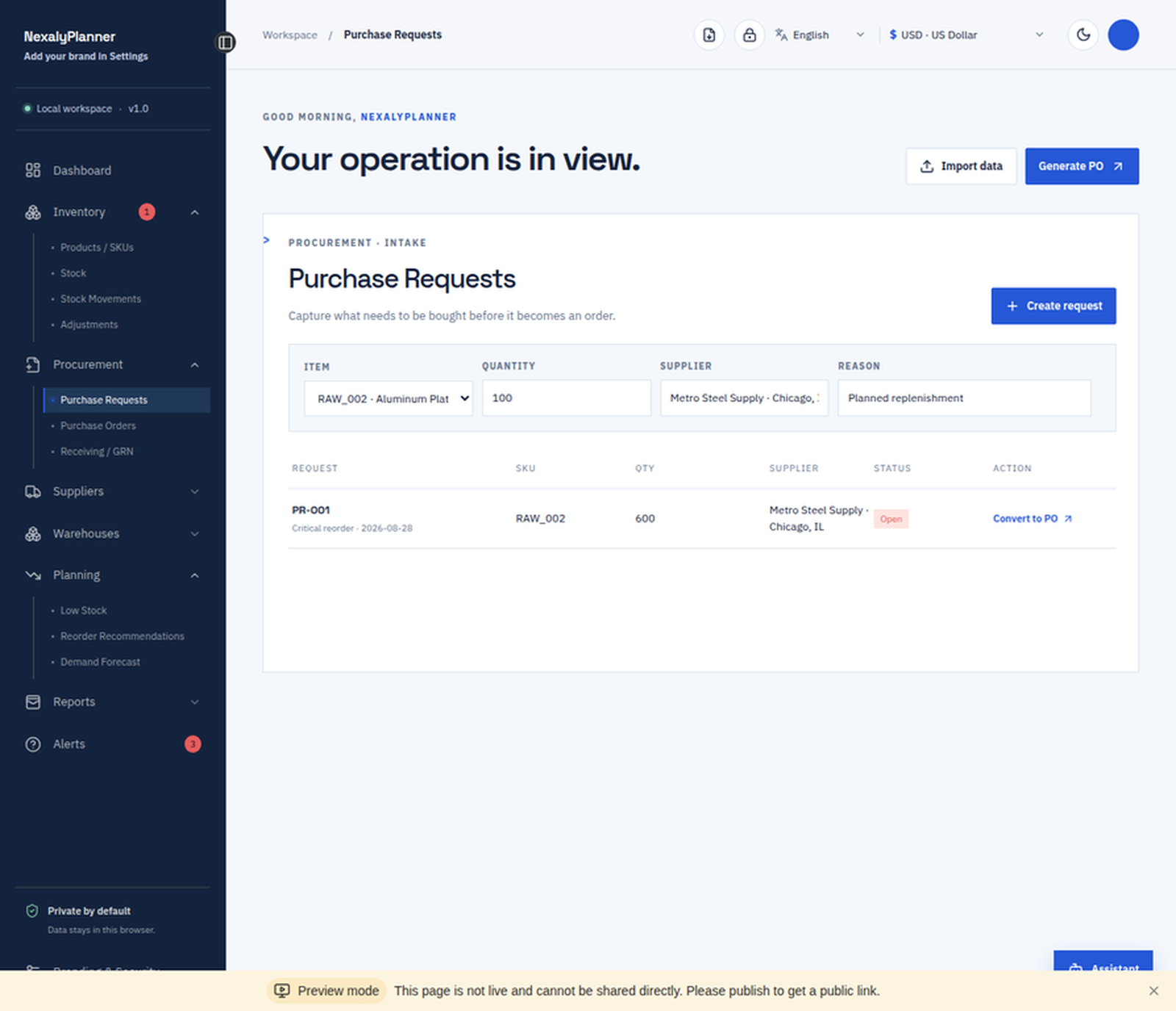
Purchase requests screen with item, quantity, supplier, reason, status and purchase order conversion
Create and convert purchase requests
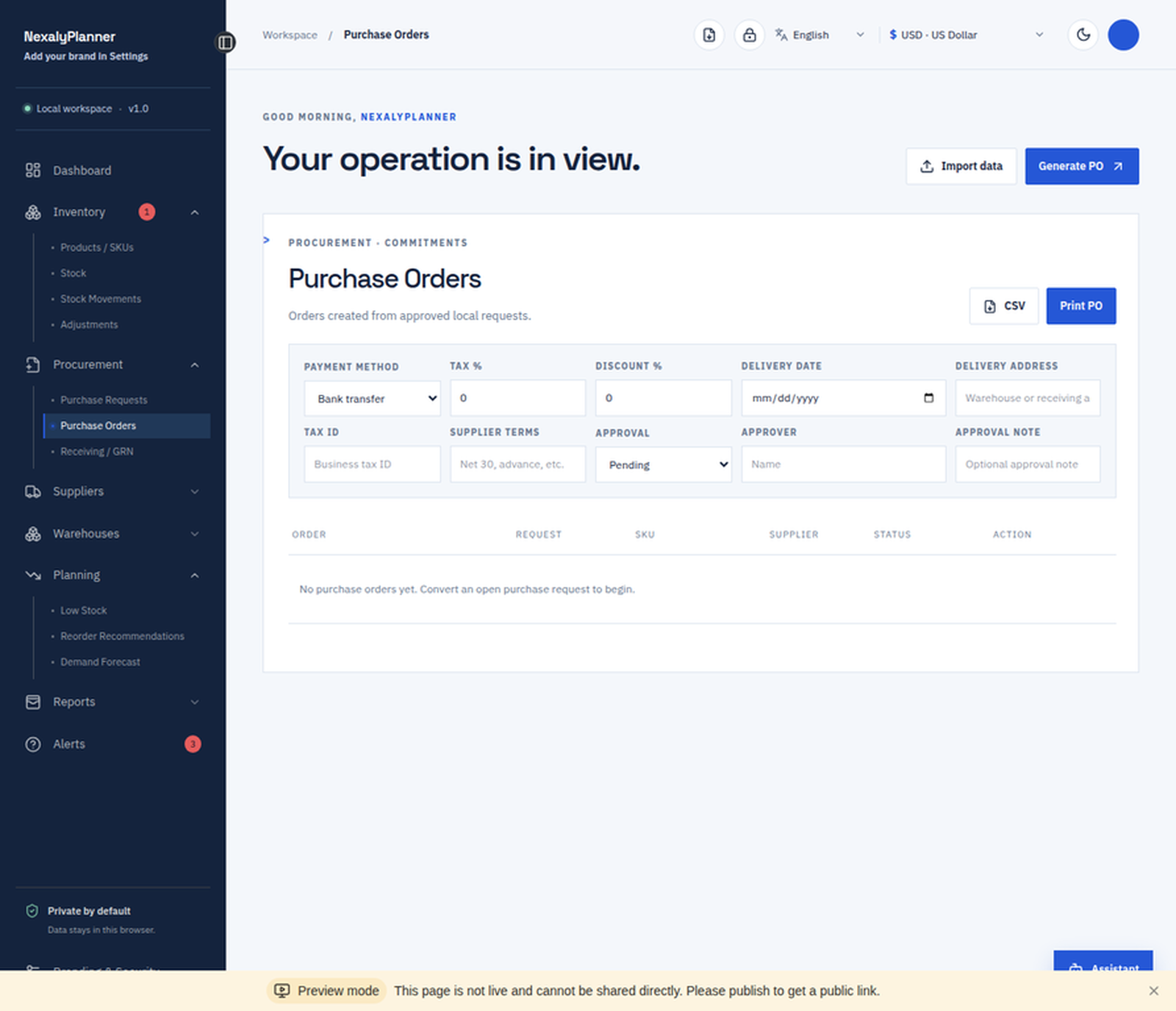
Purchase order management screen with supplier terms, tax, discount, delivery, approval and print controls
Manage detailed purchase orders
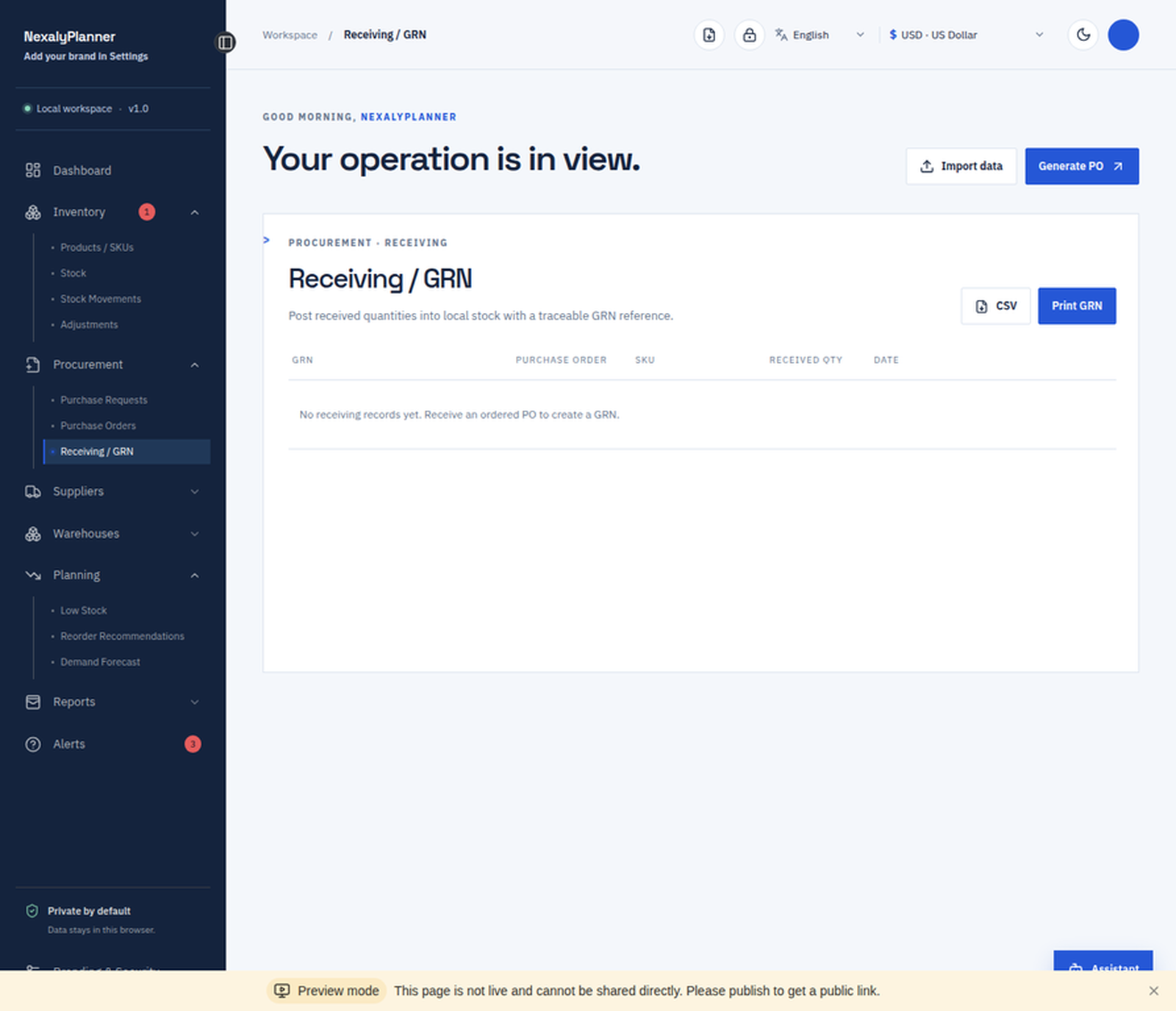
Receiving and GRN screen for traceable goods-received records, CSV export and branded printing
Track receiving and goods-received notes
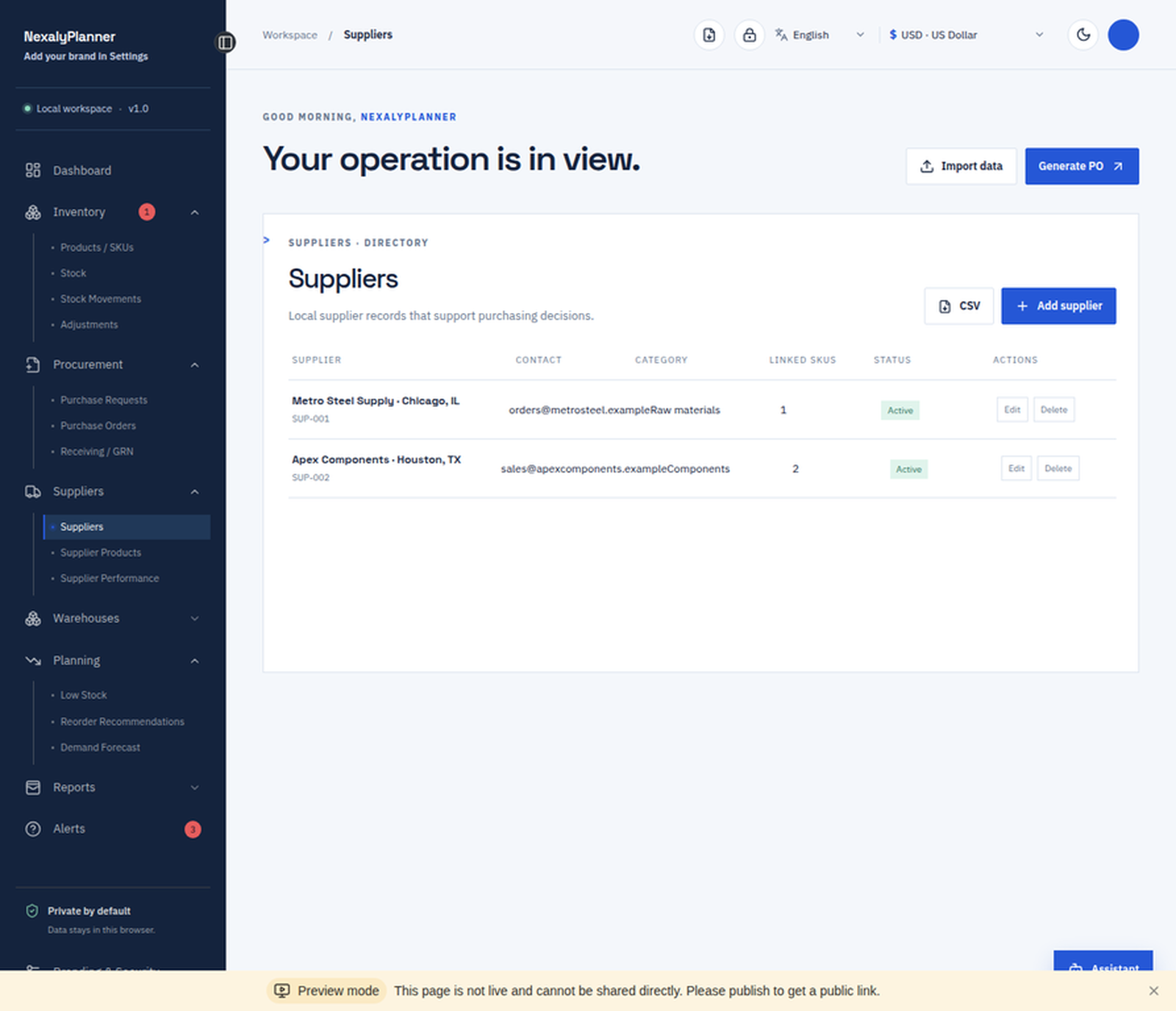
Supplier directory with contact details, lead times, linked SKUs and active supplier status
Keep supplier records organized
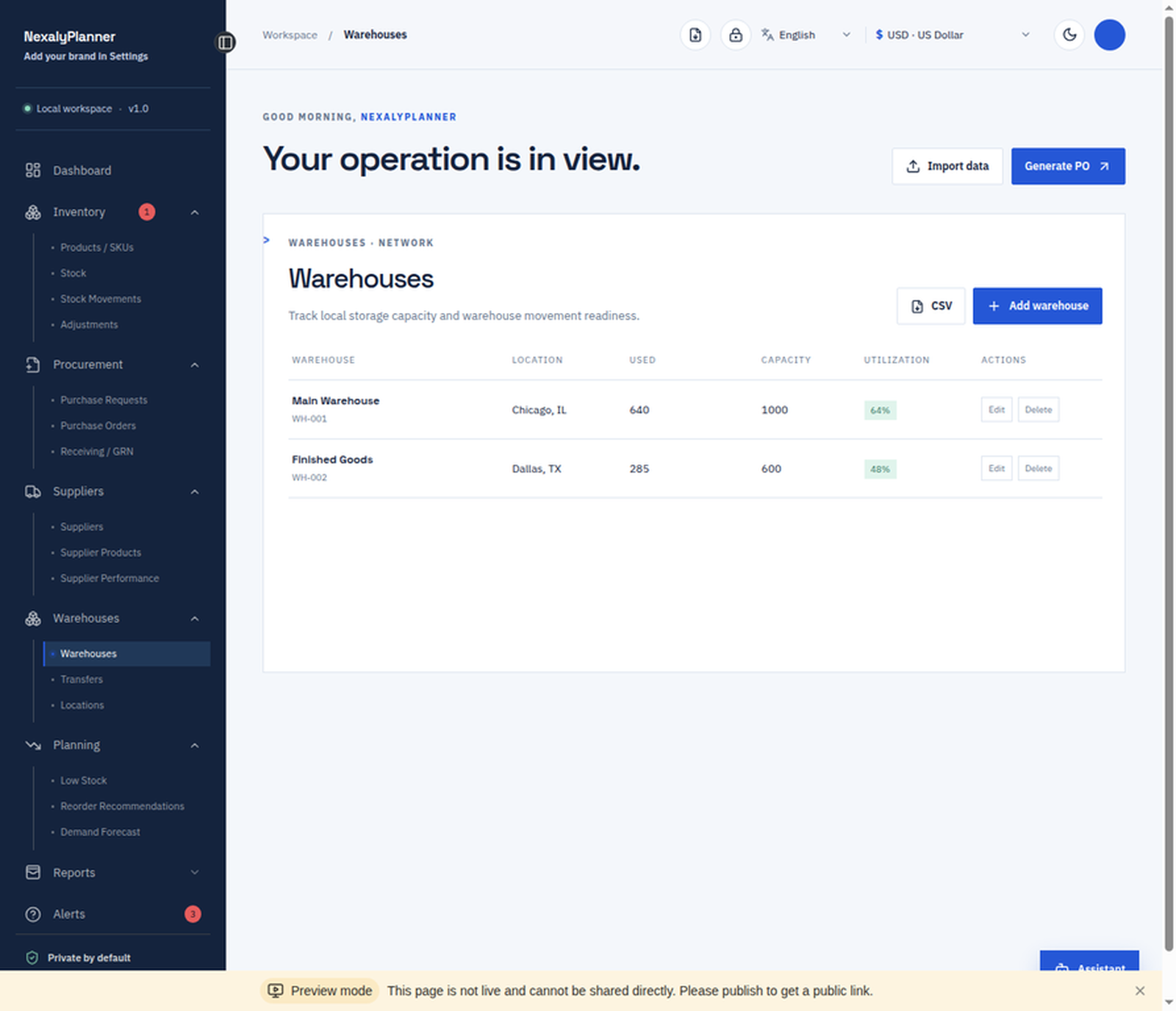
Warehouse management screen with locations, capacity, utilization and local stock records
Manage warehouses and locations
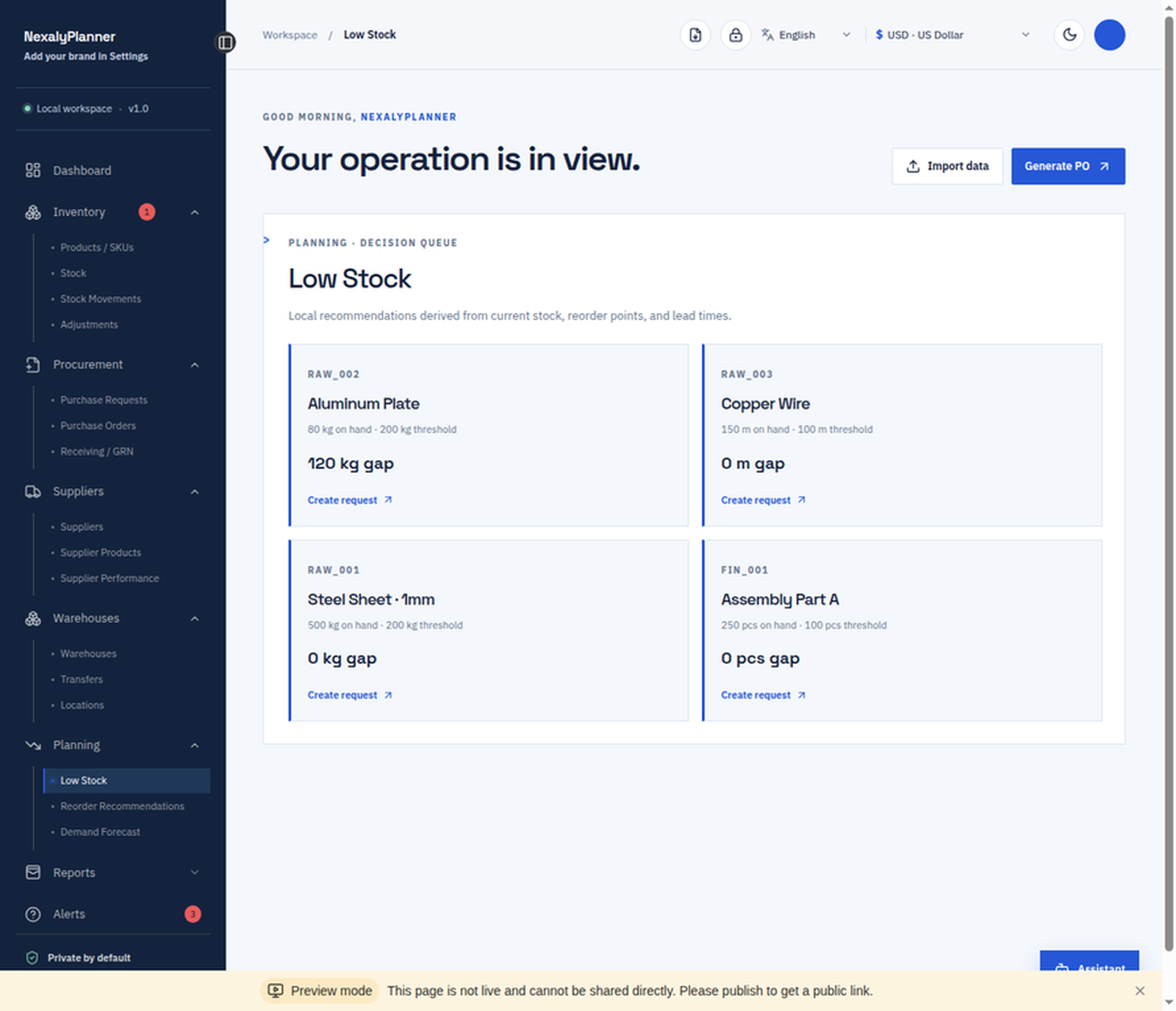
Low-stock planning screen showing reorder gaps and create request actions for inventory items
Turn low-stock gaps into requests
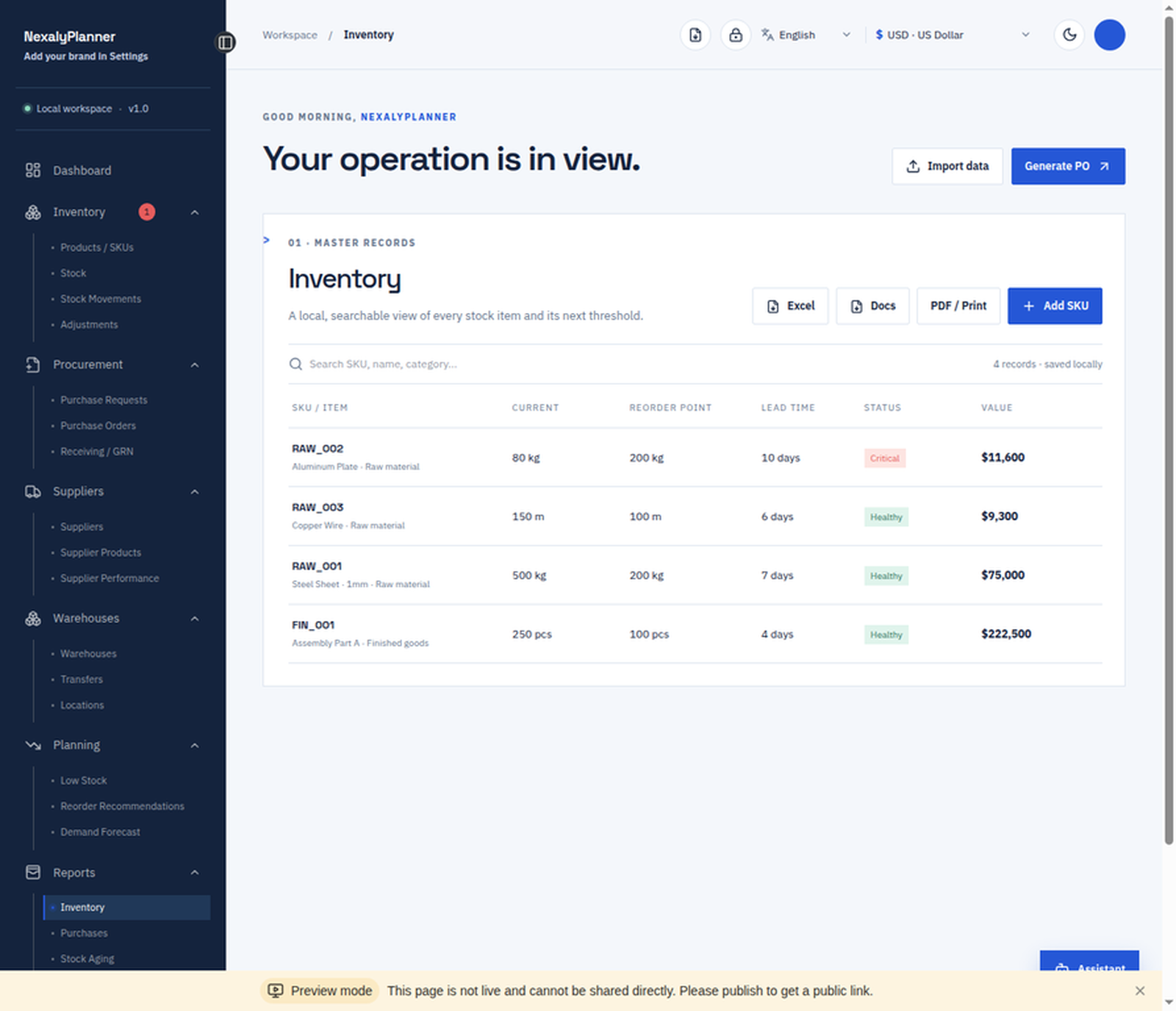
Inventory report with current quantity, reorder point, lead time, status and total stock value
Review searchable inventory reports

Watch it work

NexalyPlanner inventory and procurement product tour.
Inventory and procurement operations workflow.

Why operations teams will value it

Inventory and purchasing together

Connect SKUs, stock, suppliers, requests, purchase orders, receiving and GRNs in one workspace.

Act on low stock

Review thresholds and quantity gaps, then create replenishment requests from the planning screen.

Trace every movement

Record inbound, outbound and adjustment activity with warehouses, locations and documented reasons.

Offline, branded and yours

Keep records locally, add your business identity, export backups and pay once with no subscription.

Is this inventory and procurement planner right for you?

Choose it for a controlled local workflow

It suits an owner or small operations team that will maintain SKU, supplier, request, purchase-order and receipt records in one browser workspace. It does not connect to a marketplace, bank, carrier or supplier portal.

Keep the trigger separate from the order

A low-stock result is a prompt to review demand, open purchase orders, case packs and available cash. The app can turn the decision into a purchase request; it does not contact a supplier or approve a purchase automatically.

Follow one line through receiving

For a fictional order of 100 filters, record a first accepted receipt of 60 against the same PO line and keep 40 open. Do not create a second 40-unit order unless the original balance is cancelled or no longer expected.

Own the backup routine

Records are stored in the current browser profile. Export a dated JSON backup after important receipts and before clearing site data, changing browsers or moving devices; there is no automatic cloud sync or off-device backup.

Purchase order and inventory questions

What inventory records can I manage?

Manage products, SKUs, warehouses, stock movements, low-stock checks, adjustments and inventory reports.

How does the purchase order workflow work?

Create purchase requests and orders, record approvals, receive goods and update stock using the connected procurement workflow. Verify open quantities before raising another order.

Does it send purchase orders or synchronize stock automatically?

No. It organizes local records and printable documents. Supplier communication and updates to any store, bank, accounting system or warehouse platform remain manual.

Does this software require a subscription?

No. It is a one-time download that runs offline in a current browser and stores records locally.

Inventory and purchasing guides