
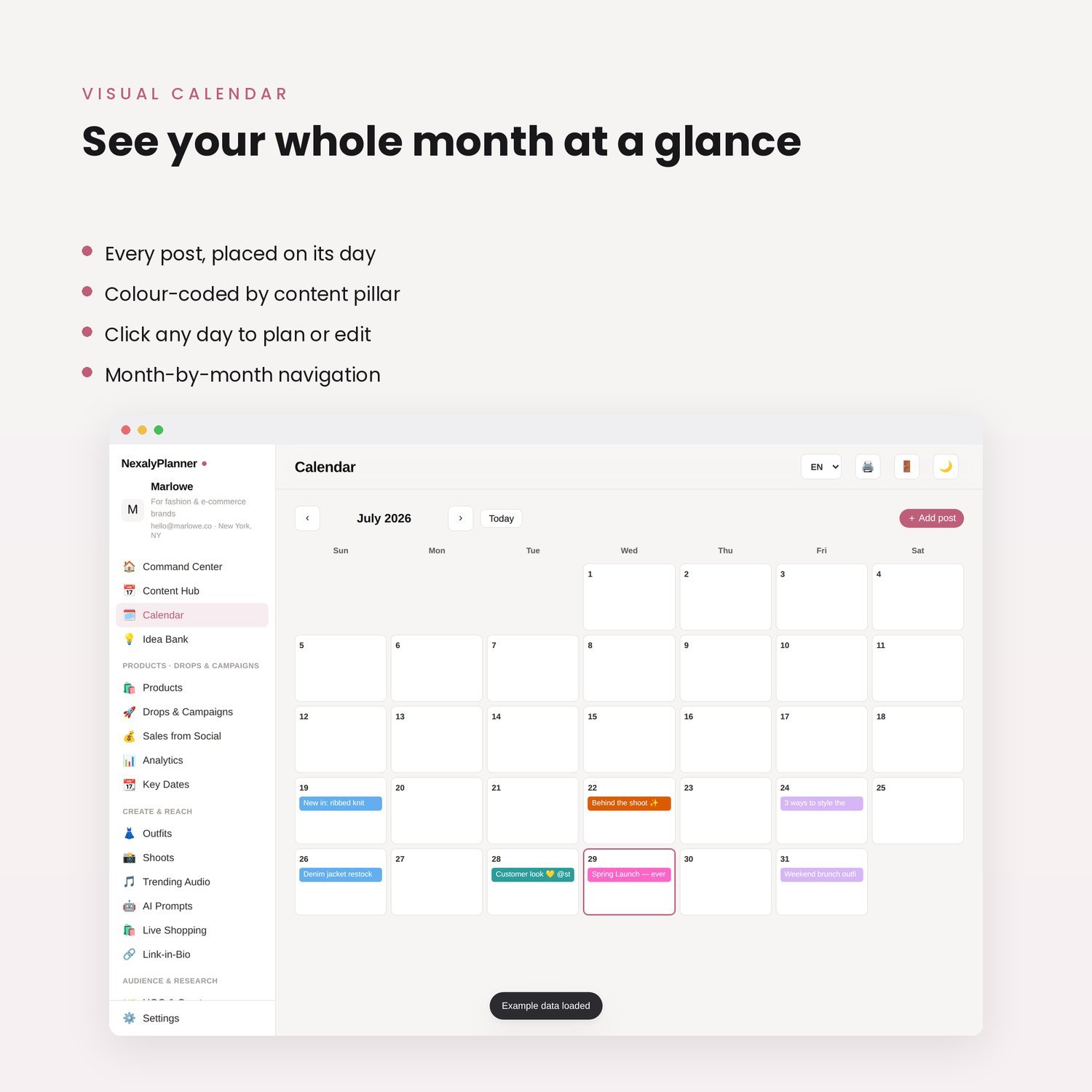
A content calendar for a clothing brand should connect each post to a product, a customer question and a next step. Planning only “Reel on Tuesday” leaves the most important decisions unfinished: what the shopper will learn and what they can do afterward.
The 30-day example below gives a small boutique a complete starting calendar. It combines product details, styling, behind-the-scenes work and purchase information. These are editorial suggestions, not a proven posting frequency or a guarantee of reach.
Copy the 30-day plan below into your own calendar and adapt the products, formats and dates to your capacity. This is an on-page planning example, not a downloadable workbook. Use the free Content Publishing Checklist to review a post before publication; it is a checklist, not a 30-day scheduler.
Choose a small product focus for the month
Start with a manageable group of products that you can actually show and sell. This example uses an everyday tee, a lightweight layer, a dress and a scarf. Replace those examples with your current stock.
For each product, collect the details shoppers repeatedly ask about: measurements, available colors, fabric, care information and delivery or pickup options. Use your actual product records. Do not invent a fabric property or fit claim because it sounds appealing in a caption.
Give each post one purpose. A detail demonstration can reduce uncertainty; a styling post can show a use case; a restock announcement can help a waiting customer act. A single post does not need to perform every job.
Use five practical content pillars
The calendar labels each post with one of five pillars:
- Product clarity: show the item and answer a buying question.
- Styling: demonstrate a practical way to wear or combine products.
- Trust: show a real process, approved customer contribution or clear policy.
- Conversation: ask a question you can use to improve the shopping experience.
- Offer: explain a genuine launch, restock or purchase opportunity.
This is a planning framework, not a fixed ratio prescribed by a platform. If customers keep asking about sizing, give product clarity more space. If the month has no launch, replace launch posts with useful evergreen demonstrations.
Your 30-day clothing content plan
| Day | Post idea | Format | Next step |
|---|---|---|---|
| 1 | Introduce the month's four featured pieces | Carousel | Browse the collection |
| 2 | Show the tee's actual garment measurements | Detail video | Open the size guide |
| 3 | Style one tee with two layers | Short video | View the featured pieces |
| 4 | Answer a delivery or pickup question | Story | Read delivery details |
| 5 | Show fabric texture in clear light | Close-up video | Inspect the product page |
| 6 | Ask which color shoppers want demonstrated | Poll | Vote for a color |
| 7 | Show a real packing check | Behind-the-scenes video | Save the shop link |
| 8 | Demonstrate the dress's pockets or fastening | Detail video | View the dress details |
| 9 | Build an outfit around the scarf | Carousel | Browse the accessories |
| 10 | Explain the current return process | Story | Read the return policy |
| 11 | Compare two available colorways | Carousel | Choose a color to view |
| 12 | Answer the most useful question from day 6 | Short video | Ask the next question |
| 13 | Show a garment's care label and instructions | Detail post | Save the care information |
| 14 | Recap the week's product questions | Carousel | Open the detailed answers |
| 15 | Announce a real arrival or feature an in-stock item | Product video | See current availability |
| 16 | Show the new item's measurements | Carousel | Check the size chart |
| 17 | Build an outfit for a familiar daily activity | Short video | View the outfit items |
| 18 | Explain how you check an item before dispatch | Process video | Learn about the order process |
| 19 | Share an approved customer styling contribution | Photo or video | View the featured item |
| 20 | Ask which product needs a closer demonstration | Poll | Vote for a demonstration |
| 21 | Publish the requested close-up | Detail video | Read the product description |
| 22 | Show two ways to tie or style the scarf | Short video | Save the demonstration |
| 23 | Explain what is included in a real bundle | Carousel | Review the bundle details |
| 24 | Answer a question about garment length | Detail video | Check the measurements |
| 25 | Show the same item under consistent lighting | Comparison post | View the available colors |
| 26 | Share an accurate stock or restock update | Story | Check current stock |
| 27 | Explain the ordering steps | Screen or process walkthrough | Open the shop |
| 28 | Revisit the month's clearest product demonstration | Updated post | Open the relevant item |
| 29 | Ask what customers want explained next month | Question post | Leave a question |
| 30 | Recap the collection with direct product paths | Carousel | Browse the remaining selection |
Use customer photos or quotations only with appropriate permission. Stock updates and deadlines should reflect real availability and terms.
Turn the calendar into a manageable production routine
Batch posts that use the same product setup. For example, one clear-light filming session can capture garment measurements, fabric texture, fastening details and color comparisons. Give every clip a descriptive filename so you can find it later.
Before editing, write the exact question the clip answers. Then select the shortest footage that answers it clearly. This prevents a calendar full of attractive videos that leave the customer uncertain about the item.
If daily publishing is unrealistic, use three or four entries per week and extend the plan. Keep the sequence's variety instead of squeezing too many posts into a single day. “30-day calendar” describes the supplied plan, not a requirement to publish every day.
Record a destination and a result
For each entry, add the product URL, owner, planned date and status. After publishing, record the actual post link and one relevant outcome, such as product-page visits, qualified questions or attributable orders.
Treat attribution carefully. A customer may see several posts and buy later. A manually entered sales note can be useful, but it should not be presented as proof that one post caused the purchase.
Add result fields to your own working calendar after publication. This article and the free checklist do not connect to social accounts or publish posts automatically.
Keep ideas and scheduling separate
An idea bank holds possible angles. A calendar holds selected posts with a date, asset and purpose. Move only ideas you can produce into the committed schedule.
For more angles, use 30 boutique social media post ideas. For a seasonal campaign, adapt the Black Friday marketing plan.
The NexalyPlanner Content Marketing Planner is an offline planning option for clothing and ecommerce brands. Its product page describes a visual calendar and content records. Compare that workflow with the on-page calendar example when deciding how much structure you need.
Frequently asked questions
How often should a clothing brand post?
Choose a pace you can sustain with useful, accurate material. Start with a manageable schedule, review the results and adjust. This calendar does not establish an ideal frequency for every brand or platform.
Can a small boutique reuse one product across several posts?
Yes, when each post answers a different question. Measurements, fabric detail, care and styling are distinct angles. Repeating the same sales caption without adding information provides less value.
What if I do not have customer photos?
Use your own product demonstrations, process footage and clear explanations. Do not fabricate testimonials or imply that a sample image came from a customer.
Does this calendar publish to Instagram or TikTok?
No. The on-page example helps you organize your plan. Publish through your chosen platform or a separately verified scheduling tool.