
FREE · NO ACCOUNT NEEDED
Weekly Cash Commitments Planner
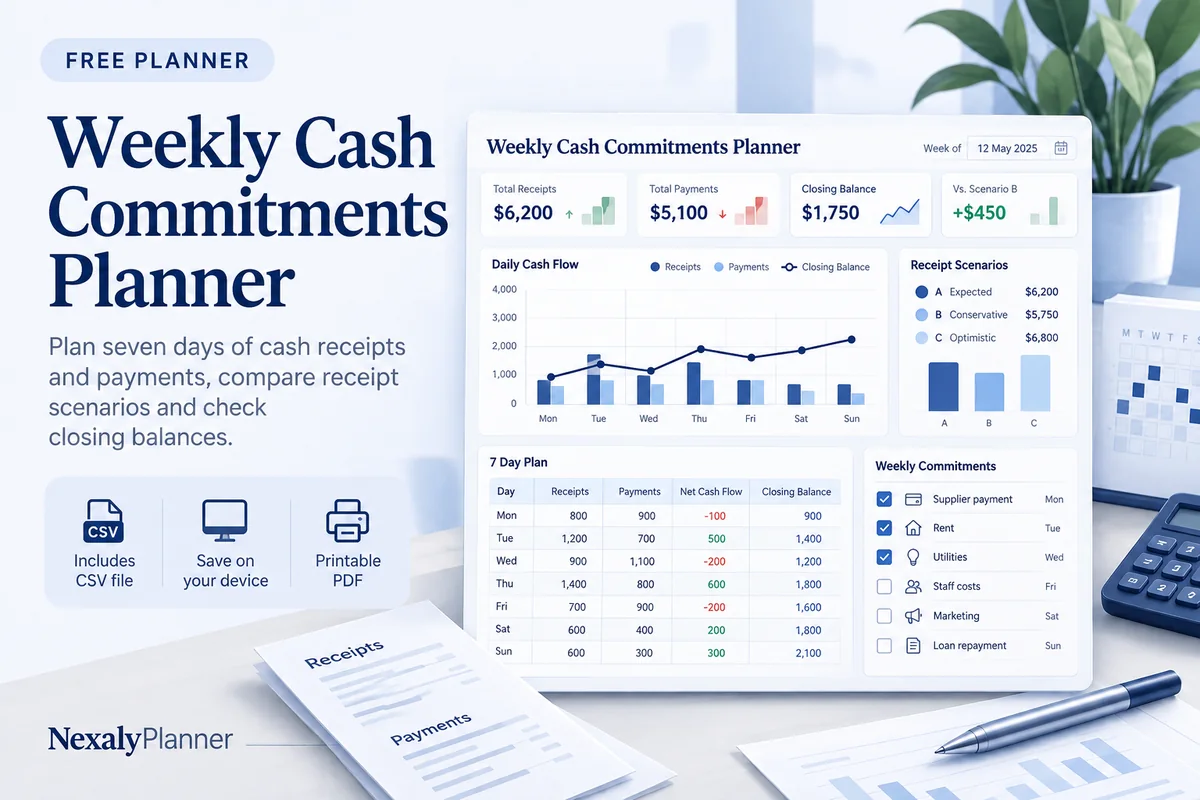
See what your cash balance could look like over the next seven days. Add expected receipts and payments, then compare all planned receipts with confirmed receipts only.
1. Enter your details. 2. Add records. 3. Calculate and save a copy.
Set up your worksheet
The week covers your first day plus six more days. Every payment is included in both receipt scenarios. Currency selection labels amounts; it does not convert them.
Your report
Enter your details and records, then calculate to review the results.
Save or download your work
Work stays in this page until you choose Save on this device. Device saves belong to this browser and can be removed by clearing browser data. JSON keeps an editable backup; CSV and PDF keep a report.
Weekly Cash Commitments Planner: complete guide
What this free planner does
- Seven dated daily balances, plus opening and closing cash.
- A confirmed-receipts scenario that still includes every payment.
- Editable transactions with a certainty label and clear inclusion status.
- Up to 100 editable entries, explicit device saving, JSON backup, CSV and browser PDF printing.
How to use it
- Choose the first day of your week, one currency and the cash available at the start. Use a balance checked against your own records.
- Add a separate receipt or payment for each expected cash movement. Use its cash date, not the invoice issue date.
- Choose All planned receipts or Confirmed receipts only. Calculate, then check each daily closing and any negative balance.
- Update dates or certainty when information changes. Recalculate and download a report before discussing the week with your team.
Inputs and units
| Field | Input rule |
|---|---|
| Week label | Required. Up to 160 characters. |
| First day of your week | Required. A calendar date; date-only entries do not shift with browser timezone. |
| Currency | Required. Choose USD, GBP, CAD, AUD, EUR, NZD, AED. |
| Opening cash | Required. Numbers with up to two decimals from 0 to 1000000. |
| Receipts to include | Required. Choose All planned receipts, Confirmed receipts only. |
| Receipt or payment | Required. Up to 160 characters. |
| Type | Required. Choose Receipt, Payment. |
| Cash date | Required. A calendar date; date-only entries do not shift with browser timezone. |
| Amount | Required. Numbers with up to two decimals from 0 to 1000000. |
| Certainty | Required. Choose Expected, Confirmed. |
How the calculation works
Closing cash = opening cash + included receipts − all payments. Each day starts with the previous day’s closing cash. The lowest balance considers opening cash and each day-end closing, not the order of transactions within a day.
Worked example with fictional data
A fictional shop starts the week with USD 1,000. It expects a confirmed USD 400 collection on Tuesday and a USD 600 supplier payment on Thursday. Closing cash is 1,000 + 400 − 600 = USD 800. If that receipt is changed to Expected and you select Confirmed receipts only, closing cash becomes USD 400; the payment is still included.
Before you save your plan
- Review the dates cash will actually move, then check the lowest daily balance rather than only the week-end total.
- Keep planned receipts separate from confirmed receipts and save a fresh backup for each week.
Check the lowest daily cash balance before relying on the closing total
This fictional seven-day USD plan starts October 12, 2026 with $500. A supplier payment of $700 is due October 13. A confirmed customer receipt of $900 arrives October 15, and an expected $300 receipt is entered for October 16.
| Scenario | October 13 closing | October 15 closing | October 18 closing | Lowest opening/day-end balance |
|---|---|---|---|---|
| All planned receipts | −$200 | $700 | $1,000 | −$200 |
| Confirmed receipts only | −$200 | $700 | $700 | −$200 |
Both scenarios show a $200 shortfall on October 13 and 14, even though the week ends positive. Excluding the expected receipt changes the final balance by $300; it does not remove the supplier payment or resolve the earlier gap.
- Confirm opening cash and the dates money will actually move. An invoice issue date is not necessarily its cash receipt date.
- Investigate the early shortfall with your own records. Only enter a revised payment or collection date after it is justified; this planner does not contact a supplier or move money.
- Review both receipt scenarios. A Confirmed label reflects your input, not a guarantee that a customer will pay on time.
- Check bank cutoffs and same-day timing separately. The report tracks day-end balances, not intraday availability.
- Keep a dated backup. For the next week, reconcile the actual opening balance rather than assuming the forecast closing became actual cash.
Work through the cash flow forecast example for the wider process. Use the software renewal decision planner for notice dates; bring actual scheduled charges into this cash worksheet manually.
Assumptions and common mistakes
This weekly cash flow planner is a scenario worksheet. It does not retrieve bank balances, predict customer payment behavior, transfer money or give borrowing advice. A positive week-end balance can still hide a negative balance earlier in the week. Same-day transaction timing is not modeled. All cash dates must fall within the seven-day window, and all amounts must use one currency. Changing the currency label does not convert values.
Enter gross cash amounts consistently. If fees or taxes create separate cash movements, record those as separate payments using the dates and amounts from your own records. Do not enter a customer invoice and its expected receipt twice. Use a new backup for each week so a later edit does not replace your historical record.
Save, restore and export
Add entry creates another record. Edit any field directly or use Remove entry to delete a row. Changing inputs clears the previous report so it cannot be mistaken for current results. Choose Calculate / review results again when your changes are ready.
Save on this device keeps an editable worksheet in this browser only. On a later visit in this browser, your saved worksheet loads automatically. Restore device save can also reload the last save after you confirm replacement. Saving drafts is allowed, but a report requires valid, complete inputs. Download backup creates a versioned JSON file for the same tool. Import backup shows the worksheet label and row count before replacing current work; it does not change the device save until you press Save.
Download CSV exports the settings, summary, row details and calculation notes. CSV is for spreadsheet review; it cannot restore this worksheet. Print / Save PDF recalculates the current entries and opens your browser’s print dialog. Choose Save as PDF where supported. The report excludes navigation, guides and product CTAs. Clear data removes the current worksheet and its device save after confirmation; keep a backup first if needed.
Frequently asked questions
Which dates belong in a weekly cash commitments planner?
Use the day money is expected to enter or leave cash. This can differ from an invoice date or expense recognition date.
What changes in the confirmed-receipts scenario?
Expected receipts are excluded. All payments remain included, even payments labeled Expected. The report shows the rule and each transaction’s inclusion status.
Can I use it for a longer forecast?
This worksheet covers seven calendar days. For a longer workflow, review the CashFlow 13 OS guide rather than combining week totals without checking opening balances.
Is this tool free, and does it sync between devices?
All worksheet, saving and export features are free without an account. There is no cloud synchronization. Transfer a JSON backup to another device and import it into this same tool.
Related planning resources
- Work through a cash flow forecast example.
- Read the CashFlow 13 OS user guide for the broader workflow.
- Plan the delivery hours behind your freelance commitments.
- Browse all available free planners by category.
- Small Business Budget Example: Plan Costs, Then Compare Actuals.
- Review software renewal costs and notice dates separately. This is a separate worksheet; records do not transfer automatically.
- Browse the free cashflow & renewals planners to compare these workflows.
EXPLORE A BROADER WORKFLOW
Need more than this one worksheet?
Explore CashFlow 13 OS and read its guide to see how the full product fits your records. This free planner remains available without a purchase. Its JSON backup is not an import file for the paid product.
For a focused next step, use the free Invoice Collection Schedule to review outstanding balances, overdue days and expected collection dates.
Bring a supplier payment schedule into the week
A quote total and a cash payment are different records. Suppose an accepted fictional quote totals $1,000 and confirmed terms require a $300 deposit this week and a $700 balance next week. Enter the $300 payment in this seven-day worksheet; record the $700 in the following week or the 13-week cash-flow forecast. Do not enter the full $1,000 as well as both installments.
Use the Supplier Quote Comparison planner for comparable purchase costs and the Invoice Collection Schedule for customer follow-up. Transfer verified cash dates manually. Reconcile the next week's opening cash to actual records before using it.