
FREE · NO ACCOUNT NEEDED
Freelancer Weekly Capacity Planner
Find how many client delivery hours fit in your week. Set aside leave, admin and buffer time, then compare the remaining capacity with booked projects.
1. Enter your details. 2. Add records. 3. Calculate and save a copy.
Set up your worksheet
Your report
Enter your details and records, then calculate to review the results.
Save or download your work
Work stays in this page until you choose Save on this device. Device saves belong to this browser and can be removed by clearing browser data. JSON keeps an editable backup; CSV and PDF keep a report.
Freelancer Weekly Capacity Planner: complete guide
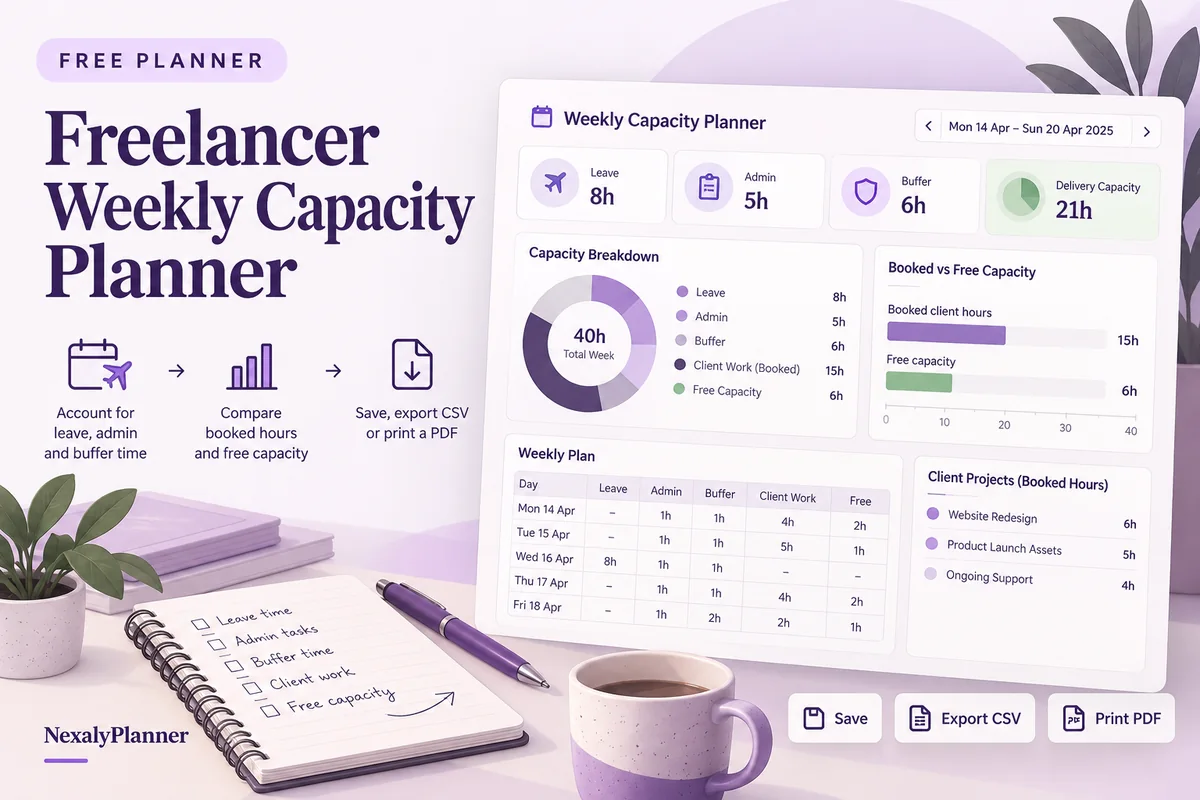
What this free planner does
- A five-part time budget with one row per client or project.
- Free capacity and overbooked hours shown without hiding negative results.
- Capacity booked percentage, with a clear zero-capacity state.
- Up to 100 editable entries, explicit device saving, JSON backup, CSV and browser PDF printing.
How to use it
- Enter planned working hours for the week before deducting leave. Add the week label and starting date for your report.
- Separate leave, admin and buffer hours. Count each hour once; do not subtract leave again if you already removed it from working hours.
- Add the delivery hours promised to each client or project. Include revisions and meetings here only if they belong to client delivery in your records.
- Calculate. Review free hours, the percentage booked and any overbooking message before accepting another commitment.
Inputs and units
| Field | Input rule |
|---|---|
| Week label | Required. Up to 160 characters. |
| Week starting | Required. A calendar date; date-only entries do not shift with browser timezone. |
| Planned working hours | Required. Numbers with up to two decimals from 0 to 168. |
| Leave / unavailable hours | Required. Numbers with up to two decimals from 0 to 168. |
| Admin hours | Required. Numbers with up to two decimals from 0 to 168. |
| Unbooked buffer hours | Required. Numbers with up to two decimals from 0 to 168. |
| Client or project | Required. Up to 160 characters. |
| Booked delivery hours | Required. Numbers with up to two decimals from 0 to 168. |
How the calculation works
Delivery capacity = planned working hours − leave − admin − buffer. Booked delivery is the sum of project rows. Free capacity = delivery capacity − booked delivery. Capacity booked = booked delivery ÷ delivery capacity × 100; no percentage is calculated when delivery capacity is zero.
Worked example with fictional data
A fictional freelancer plans 40 working hours, no leave, 8 admin hours and 4 buffer hours. Delivery capacity is 28 hours. A 20-hour project leaves 8 free hours. Adding another 12-hour project makes booked delivery 32 hours and free capacity −4 hours: the week is overbooked by 4 hours.
Before you save your plan
- Set aside admin, leave and buffer time before you promise client delivery hours.
- Check overbooked weeks against your project calendar; available hours do not guarantee project profitability.
Check a new project against the time already promised
This fictional freelancer plans a 40-hour week with four hours of leave, six admin hours and four unbooked buffer hours. Delivery capacity is 26 hours. Existing clients need 18 hours; a proposed 10-hour project would take bookings to 28 hours.
| Decision case | Booked delivery | Free capacity | Capacity booked |
|---|---|---|---|
| Existing commitments only | 18 hours | 8 hours | 69.23% |
| Add the proposed project in full | 28 hours | −2 hours | 107.69% |
| Agree eight hours this week and two next week | 26 hours | 0 hours | 100% |
The last case preserves the four-hour buffer but uses all delivery capacity. It is a scheduling option to discuss, not a recommendation to book every available hour. The remaining two hours need a separate check against next week's commitments.
- Include revisions and delivery meetings in the relevant project estimate. Use consistent categories so those hours are not also subtracted as admin.
- Check the calendar: eight free hours scattered across short gaps may not support a task requiring a continuous work block.
- Recalculate after an agreed scope or date change. Do not remove promised client hours simply to make capacity positive.
- Save a dated JSON backup after agreeing the week; use CSV or PDF to share the report.
Use the freelance business planning example to connect your delivery plan with business goals. For time already used on a retainer, review included hours and potential retainer overage separately. These worksheets do not transfer records automatically.
Assumptions and common mistakes
This free freelancer capacity planner measures a time budget. It does not estimate project fees, profit, employee availability or whether an assignment is realistic. Leave, admin and buffer together cannot exceed planned working hours. Booked delivery may exceed capacity so you can see the problem; the tool will not silently cap it.
Keep buffer separate from a named client commitment. Decide where you record project meetings and stick to that convention. If several clients share one work block, allocate that block across the rows rather than entering its full duration for each client. Decimal hours are supported: 1.5 hours means 90 minutes, not 1 hour 5 minutes.
Save, restore and export
Add entry creates another record. Edit any field directly or use Remove entry to delete a row. Changing inputs clears the previous report so it cannot be mistaken for current results. Choose Calculate / review results again when your changes are ready.
Save on this device keeps an editable worksheet in this browser only. On a later visit in this browser, your saved worksheet loads automatically. Restore device save can also reload the last save after you confirm replacement. Saving drafts is allowed, but a report requires valid, complete inputs. Download backup creates a versioned JSON file for the same tool. Import backup shows the worksheet label and row count before replacing current work; it does not change the device save until you press Save.
Download CSV exports the settings, summary, row details and calculation notes. CSV is for spreadsheet review; it cannot restore this worksheet. Print / Save PDF recalculates the current entries and opens your browser’s print dialog. Choose Save as PDF where supported. The report excludes navigation, guides and product CTAs. Clear data removes the current worksheet and its device save after confirmation; keep a backup first if needed.
Frequently asked questions
How much buffer should a freelancer keep?
You enter your own buffer based on the work and uncertainty you expect. The calculator does not prescribe a universal percentage.
Why can free capacity be negative?
A negative number means your booked hours exceed delivery capacity. The absolute value is the number of overbooked hours.
Does 100% booked mean all working hours are client work?
No. The percentage uses delivery capacity after leave, admin and buffer, not total planned working hours.
Is this tool free, and does it sync between devices?
All worksheet, saving and export features are free without an account. There is no cloud synchronization. Transfer a JSON backup to another device and import it into this same tool.
Related planning resources
- Read the agency capacity planning example.
- Read the Agency Client Profitability & Capacity OS user guide for the broader workflow.
- Plan the cash movements around your booked work.
- Browse all available free planners by category.
- Freelance Business Plan: Capacity, Pricing and a 90-Day Example.
- Review retainer overages after checking your booked hours. This is a separate worksheet; records do not transfer automatically.
- Browse the free freelancers & agencies planners to compare these workflows.
EXPLORE A BROADER WORKFLOW
Need more than this one worksheet?
Explore Agency Client Profitability & Capacity OS and read its guide to see how the full product fits your records. This free planner remains available without a purchase. Its JSON backup is not an import file for the paid product.
For a focused next step, use the free Fixed-Fee Scope Change Planner to compare the original project plan with updated base work and added scope.