
FREE · NO ACCOUNT NEEDED
Invoice Collection Schedule
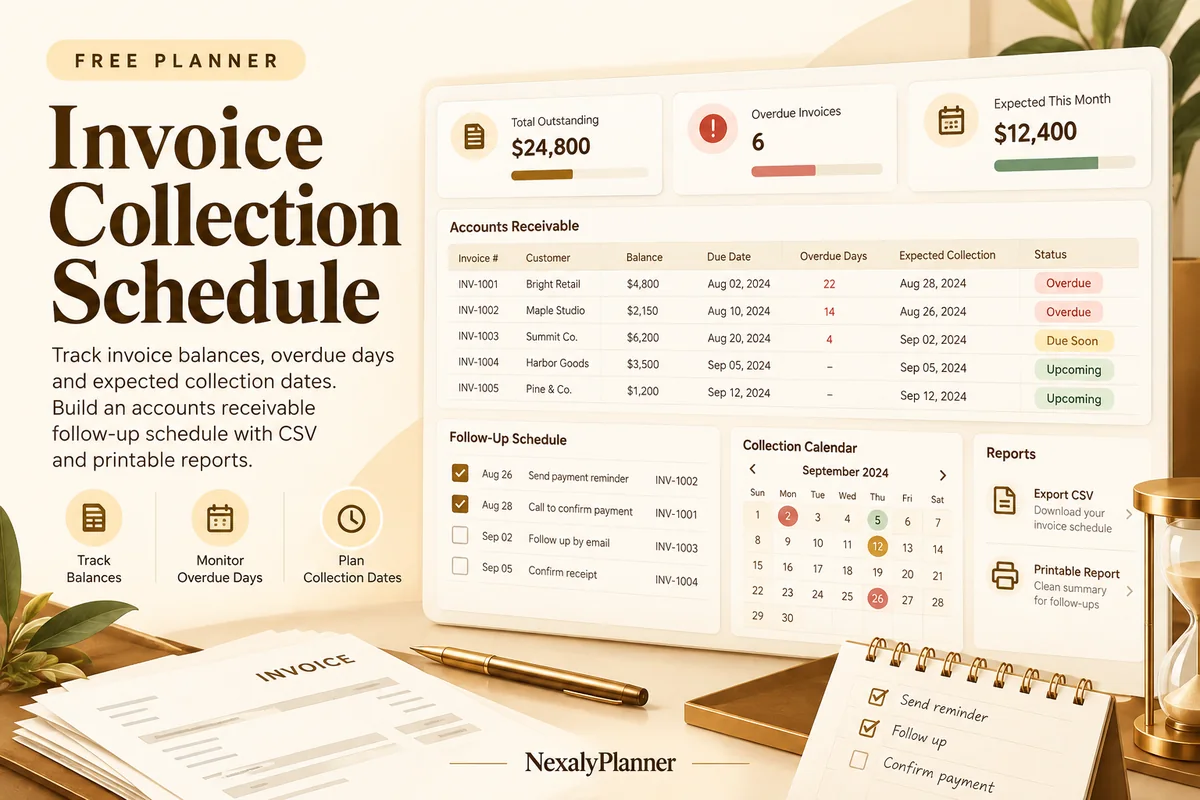
Track invoice balances, overdue days and expected collection dates. Build an accounts receivable follow-up schedule with CSV and printable reports.
- 1Set up
- 2Add records
- 3Review & save
Set up your worksheet
Payments and estimatesEnter total payments already received. Expected collection dates are your estimates, not confirmed receipts.
Your report
Enter your details and records, then calculate to review the results.
Save or download your work
Work stays in this page until you choose Save on this device. Device saves belong to this browser and can be removed by clearing browser data. JSON keeps an editable backup; CSV and PDF keep a report.
Invoice Collection Schedule: complete guide
What you can do
- Outstanding balances and overdue days on the same record.
- Expected collections grouped by date.
- Past expected dates flagged for manual follow-up.
- Up to 100 editable rows, explicit device saving, JSON backup, CSV and browser PDF printing.
How to use this planner
- Use one currency and a clear review date.
- Enter invoice references, contractual due dates, amounts and payments received.
- Enter a realistic expected collection date and next follow-up action.
- Review overdue invoices, confirm estimates with customers and export your collection schedule.
Inputs and units
| Field | Input rule |
|---|---|
| Collection review label | Required. Up to 160 characters. |
| Review as of | Required. Calendar date, 1900–2200. |
| Currency | Required. Choose USD, GBP, CAD, AUD, EUR, NZD, AED. |
| Invoice reference | Required. Up to 160 characters. |
| Client | Required. Up to 160 characters. |
| Contractual due date | Required. Calendar date, 1900–2200. |
| Expected collection date | Required. Calendar date, 1900–2200. |
| Invoice amount | Required. Numbers with at most two decimals from 0 to 1000000. |
| Payments already received | Required. Numbers with at most two decimals from 0 to 1000000. |
| Next follow-up action | Optional. Up to 160 characters. |
How the result works
Amounts use whole cents. Fully paid invoices have zero overdue balance. Open balances are grouped by entered expected collection date. Past expected dates are flagged for review; they are not moved forward automatically. Duplicate invoice references are rejected.
Worked example with fictional data
An invoice for USD 1,000 with USD 250 paid leaves USD 750 outstanding. Due October 5 and reviewed October 8, it is 3 days overdue. An expected October 12 collection appears in that date’s expected-balance schedule.
Limits to keep in mind
Outstanding = invoice amount − received payments. A balance is overdue only when its due date is before the entered review date. Expected dates are your estimates, not confirmed receipts. No email is sent and no accounting system is updated.
Review the result before acting
- Follow up overdue balances before treating expected collections as available cash.
- Keep partial receipts current so reminders use the correct remaining balance.
- Review a past expected date with the customer rather than repeatedly moving it forward without evidence.
Save, restore and export
Add entry creates another record. Edit any field directly or use Remove entry to delete a row. Changing inputs clears the previous report so it cannot be mistaken for current results. Choose Calculate / review results again when your changes are ready.
Save on this device keeps an editable worksheet in this browser only. On a later visit in this browser, your saved worksheet loads automatically. Restore device save can also reload the last save after you confirm replacement. Saving drafts is allowed, but a report requires valid, complete inputs. Download backup creates a versioned JSON file for the same tool. Import backup shows the worksheet label and row count before replacing current work; it does not change the device save until you press Save.
Download CSV exports the settings, summary, row details and calculation notes. CSV is for spreadsheet review; it cannot restore this worksheet. Print / Save PDF recalculates the current entries and opens your browser’s print dialog. Choose Save as PDF where supported. The report excludes navigation, guides and product CTAs. Clear data removes the current worksheet and its device save after confirmation; keep a backup first if needed.
Use a personal browser for private records and keep important backups separately. Entered worksheet fields are not included in our planner-action analytics.
Frequently asked questions
Is expected collection the same as money in the bank?
No. It is an entered estimate. Use confirmed receipt information in your actual cash records.
Can I record an overpayment?
This schedule rejects received payments above the invoice amount. Resolve credits and overpayments separately before entering the remaining invoice balance.
Is it free, and can I move my work to another device?
All worksheet features are free without an account. Save on this device keeps data in this browser; use an editable JSON backup to transfer it. CSV and PDF are reports, not import files. There is no cloud sync or background monitoring.
Continue the planning workflow
WHEN YOU NEED A BROADER WORKFLOW
Sales Management System
Explore the offline application for a broader sales-record workflow. Read the guide and preview the product to check whether it fits your work. This free planner stays free; its JSON backup does not import into the paid application.