
FREE · NO ACCOUNT NEEDED
Homeschool Subject Hours Log
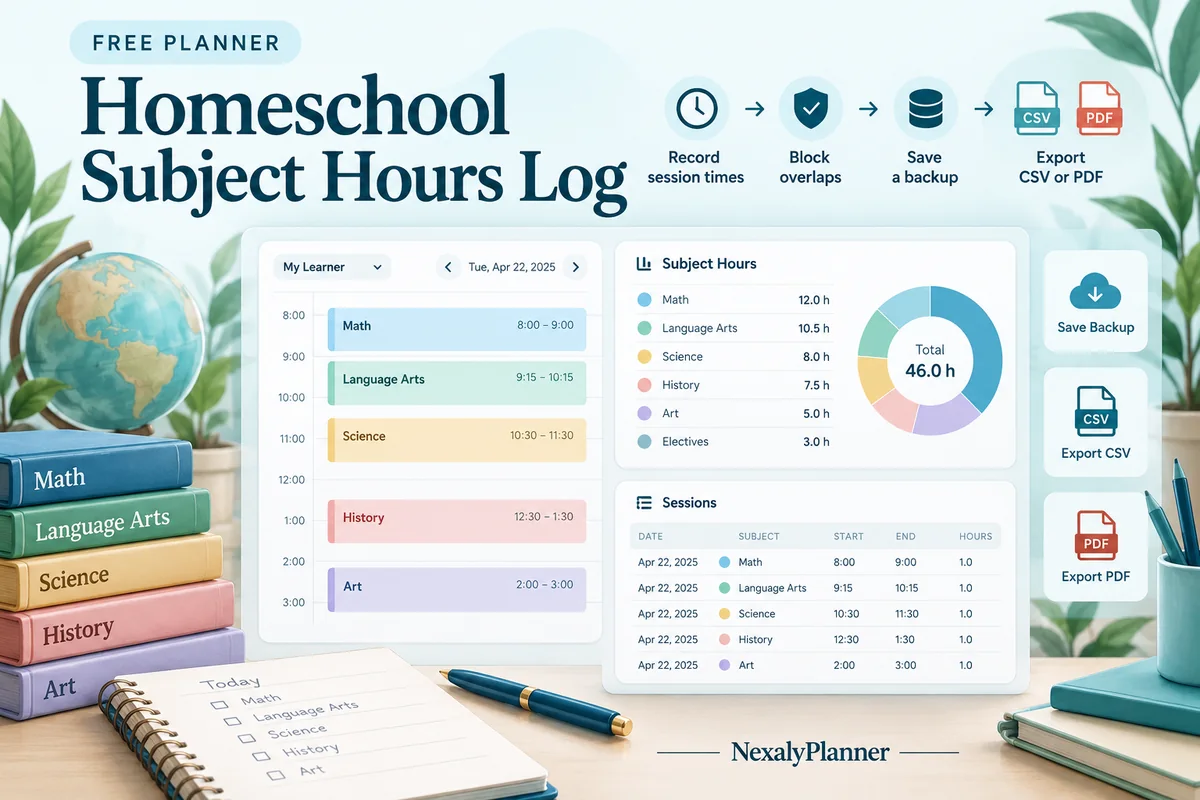
Record learning sessions for one learner and see time by primary subject. The worksheet checks overlapping sessions so the same elapsed time is not counted twice.
1. Enter your details. 2. Add records. 3. Calculate and save a copy.
Set up your worksheet
Your report
Enter your details and records, then calculate to review the results.
Save or download your work
Work stays in this page until you choose Save on this device. Device saves belong to this browser and can be removed by clearing browser data. JSON keeps an editable backup; CSV and PDF keep a report.
Shared device? Use nicknames and avoid a device save if other people can access this browser. Downloaded files can also contain the details you enter.
Homeschool Subject Hours Log: complete guide
What this free planner does
- Start and end times produce exact session minutes.
- Subject totals and overall totals use the original minutes.
- Overlapping sessions block the report until corrected.
- Up to 400 editable entries, explicit device saving, JSON backup, CSV and browser PDF printing.
How to use it
- Use a learner nickname and a reporting-period label. Keep a separate worksheet or backup for each learner.
- Add each session with its date, one primary subject, start time, end time and optional activity notes. Times must be on the same day.
- For a lesson spanning several subjects, choose one primary subject or split the elapsed time into adjacent, nonoverlapping segments.
- Calculate and resolve any overlap message. Review the subject totals and download a report with the notes you want to keep.
Inputs and units
| Field | Input rule |
|---|---|
| Learner name or nickname | Required. Up to 160 characters. |
| Reporting period label | Required. Up to 160 characters. |
| Learning date | Required. A calendar date; date-only entries do not shift with browser timezone. |
| Primary subject | Required. Up to 160 characters. |
| Session start | Required. Time on the plan date; end times must follow start times. |
| Session end | Required. Time on the plan date; end times must follow start times. |
| Activity / evidence notes | Optional. Up to 400 characters. |
How the calculation works
Session minutes = end time − start time on the entered date. Recorded hours = total minutes ÷ 60. Subject hours use the minutes assigned to that primary subject. Sessions on different dates can share clock times; overlapping sessions on the same date block calculation. Adjacent sessions are allowed.
Worked example with fictional data
A fictional learner has Math from 09:00 to 09:45 and Reading from 10:00 to 10:30 on October 5. They total 45 + 30 = 75 minutes, or 1.25 hours. Math is 0.75 hours and Reading is 0.5 hours. If the second session instead starts at 09:30, the overlapping entries must be corrected before a report is shown.
Split a mixed-subject lesson without counting its time twice
A fictional learner spends 09:00–10:00 on a reading-and-writing activity, then 10:15–10:45 on math on October 8. Use your own source notes to decide how to describe the actual time. This homeschool hours tracker offers two ways to record that first hour.
| Record choice | Entered sessions | Recorded time |
|---|---|---|
| One primary subject | Reading 09:00–10:00; Math 10:15–10:45 | 90 minutes / 1.50 hours |
| Split the mixed activity | Reading 09:00–09:30; Writing 09:30–10:00; Math 10:15–10:45 | 90 minutes / 1.50 hours |
| Duplicate the full hour | Reading 09:00–10:00; Writing 09:00–10:00 | Overlap: correct the entries before calculating |
The split version produces Reading 30 minutes, Writing 30 minutes and Math 30 minutes. The break from 10:00 to 10:15 is not entered as learning time. Adjacent sessions meet at a boundary; they do not overlap.
- Keep one primary subject per row and use a consistent subject spelling so totals group as intended.
- Use one learner and a clear reporting-period label, such as “October 5–9”. A second learner needs a separate worksheet and backup, even when both attended the same group activity.
- Review exact minutes before interpreting the displayed rounded hours. Save the editable JSON backup; CSV and PDF are readable reports, not restore files.
Choose this free homeschool subject hours log for timed sessions and subject totals. Use the Homeschool Attendance Log for distinct instructional dates. For coordinating learners at different ages, read the homeschool schedule example for multiple ages. The worksheet does not decide which activities qualify for your reporting requirements.
Before you save your plan
- Assign one primary subject to each session and check its actual start and end times.
- Resolve overlapping sessions before relying on total hours, and keep a separate worksheet for each learner.
Assumptions and common mistakes
This homeschool subject hours log is an organizational record. It does not set required hours, certify learning or verify local requirements. Each worksheet covers one learner. A group lesson can have a record for each participating learner in their separate worksheet, but it should not be copied twice within the same learner’s record.
Subject names ignore surrounding spaces and capitalization when grouping, so Math and math total together. Different spellings such as Mathematics and Math remain separate. Hours round to two decimals only for display; rounded subject hours may not sum exactly to rounded overall hours. The exact minutes remain in CSV and PDF reports.
Save, restore and export
Add entry creates another record. Edit any field directly or use Remove entry to delete a row. Changing inputs clears the previous report so it cannot be mistaken for current results. Choose Calculate / review results again when your changes are ready.
Save on this device keeps an editable worksheet in this browser only. On a later visit in this browser, your saved worksheet loads automatically. Restore device save can also reload the last save after you confirm replacement. Saving drafts is allowed, but a report requires valid, complete inputs. Download backup creates a versioned JSON file for the same tool. Import backup shows the worksheet label and row count before replacing current work; it does not change the device save until you press Save.
Download CSV exports the settings, summary, row details and calculation notes. CSV is for spreadsheet review; it cannot restore this worksheet. Print / Save PDF recalculates the current entries and opens your browser’s print dialog. Choose Save as PDF where supported. The report excludes navigation, guides and product CTAs. Clear data removes the current worksheet and its device save after confirmation; keep a backup first if needed.
Frequently asked questions
Can a lesson count fully toward two subjects?
Not in this worksheet. Choose one primary subject or split the elapsed time into nonoverlapping subject segments so the overall time counts once.
Does this replace attendance tracking?
No. It records timed learning sessions. Use the separate Homeschool Attendance Log if you need distinct instructional dates.
Can I keep a full year of sessions?
The worksheet supports up to 400 session rows. Keep dated backups and split larger records into reporting periods.
Is this tool free, and does it sync between devices?
All worksheet, saving and export features are free without an account. There is no cloud synchronization. Transfer a JSON backup to another device and import it into this same tool.
Related planning resources
- Read the homeschool schedule workflow for multiple ages.
- Read the Digital Homeschool Planner user guide for the broader workflow.
- Record distinct instructional days in the attendance log.
- Browse all available free planners by category.
- Choosing a Homeschool Planner for Multiple Children.
- Browse the free homeschool records planners to compare these workflows.
EXPLORE A BROADER WORKFLOW
Need more than this one worksheet?
Explore Digital Homeschool Planner and read its guide to see how the full product fits your records. This free planner remains available without a purchase. Its JSON backup is not an import file for the paid product.
For a focused next step, use the free Homeschool Portfolio Index to organize work-sample references by subject.