
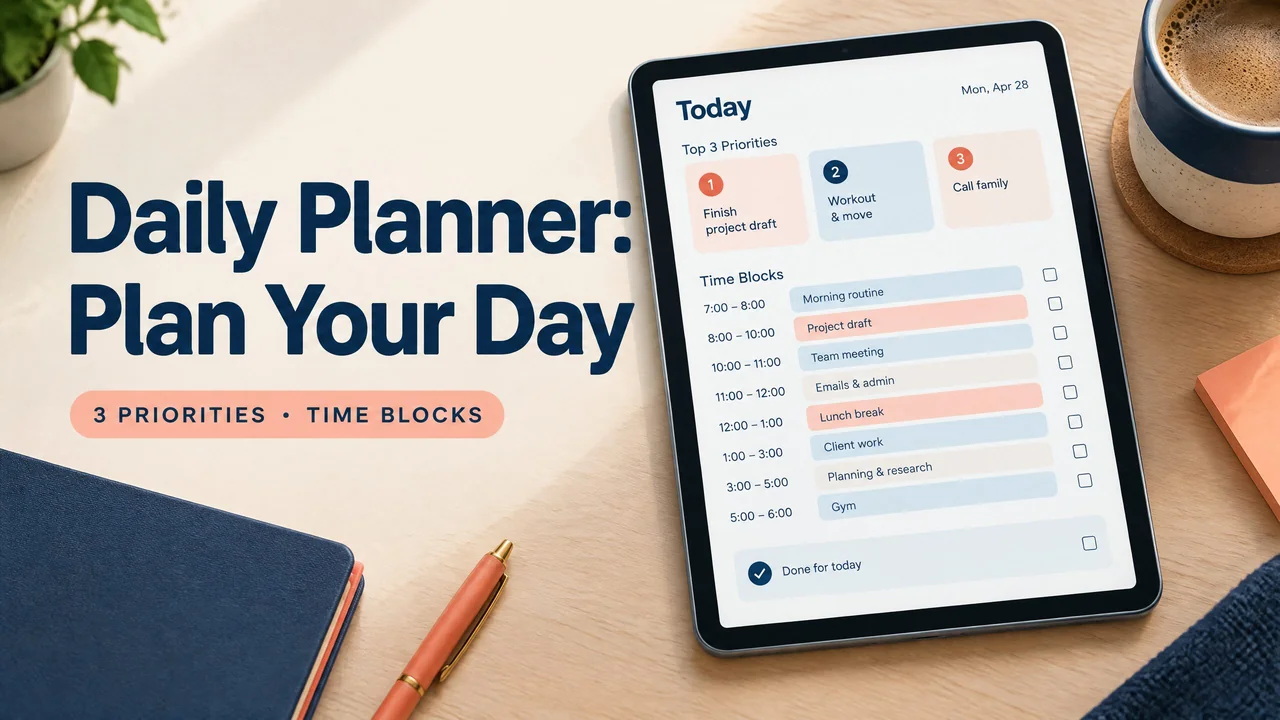
A daily planner helps you turn a long to-do list into a short, time-aware plan for one day. The most useful method is to choose three priorities, place fixed commitments first, and assign realistic blocks for the work that remains.
A good plan does not account for every minute. It gives important work a clear place, leaves room for routine tasks, and makes it easier to decide what can wait. Whether you use paper, a printable PDF, an offline file, or a cloud app, the basic planning decision is the same: what deserves your attention today?
How to plan a day that can actually happen
Start with fixed commitments such as shifts, classes, appointments, travel, and meals. They frame the rest of your plan.
Choose your priorities next. Three forces a choice without requiring a perfect prediction of your energy. A priority should describe an outcome, not a vague area of responsibility. “Send the revised proposal” is easier to plan than “work on the proposal.”
Estimate the time each priority needs, including setup and interruptions. If a task feels too large for one block, define the next visible step instead. “Outline the first two sections” is a usable block; “finish the whole report” may not be.
Add calls, messages, errands, and administrative work in a separate section or lighter block. The page should clarify the day, not make every small task compete with important work.
A realistic time-block example
Imagine a weekday with a 9:00 a.m. start, a 30-minute commute, and a 5:00 p.m. finish. The plan below protects focused work while leaving space for normal interruptions.
| Time | Plan | Why it belongs here |
|---|---|---|
| 8:30–9:00 | Arrive, review messages, choose the first step | Keeps inbox work contained. |
| 9:00–10:30 | Priority 1: draft the client proposal | Uses the clearest focus period. |
| 10:30–10:45 | Break and reset | Leaves room to reset. |
| 10:45–11:30 | Finish proposal details and send questions | Finishes the same deliverable. |
| 11:30–12:00 | Email and routine administration | Contains routine work. |
| 12:00–1:00 | Lunch and walk | Includes a real transition. |
| 1:00–2:00 | Priority 2: prepare the afternoon presentation | Sets a clear endpoint. |
| 2:00–2:30 | Calls and messages | Groups communication. |
| 2:30–3:00 | Buffer for overruns | Absorbs a delay. |
| 3:00–4:00 | Priority 3: review project notes and set next steps | Fits review work. |
| 4:00–4:30 | Routine tasks and tomorrow’s first step | Closes the workday. |
| 4:30–5:00 | Review, move unfinished work, and shut down | Ends with a next step. |
Daily planner layouts compared
Choose the layout that makes your next decision clear. A simple page is useful when used consistently.
| Layout | Best for | Strength | Limitation |
|---|---|---|---|
| Time-blocked page | Appointments, shifts, and deadline-heavy days | Shows when work can happen | Can feel restrictive when plans change often |
| Priority and task list | Flexible work and short days | Fast to fill out and easy to scan | Does not show whether the day has enough available time |
| Two-column page | Balancing important work and routine tasks | Separates priorities from maintenance work | Requires judgment about which column a task belongs in |
| Hourly schedule with notes | Meetings, classes, and detailed records | Keeps events and written notes together | Takes longer to maintain |
| Blank or lightly ruled page | Creative work and personal planning | Adapts to different kinds of days | Provides less structure when you are unsure where to begin |
GoodNotes is commonly used for handwriting on imported digital planner PDFs. It can feel close to paper while offering digital storage and annotation. Tools and behavior depend on the version, device, and file. Notion is a flexible workspace for pages, databases, and linked information. It suits structured digital systems more than a paper-like page, although you can build a simple daily page inside it.
When a daily planner is especially useful
Busy workdays with competing priorities
Use a planner when several tasks claim to be urgent. Fixed commitments show the space you have, while three priorities prevent a long list from disguising a lack of time. Group email and routine work so focused tasks have protected room.
Study days and project work
Students and independent learners can combine classes, reading, assignments, and breaks on a daily page. Define the next action for a large project, such as reading one section or drafting an outline. The student planner guide offers another view of coursework and daily structure.
Days that need lower friction
A short plan can help when starting is hard or a long list becomes distracting. Keep it simple: one first step, one or two supporting tasks, and the next fixed commitment. The ADHD planner guide for adults discusses planning choices that reduce unnecessary decisions without promising a health outcome.
How to get started with a daily planner
Choose a format that matches the behavior you want. Pick paper for the fewest decisions, a printable PDF for repeatable handwriting, offline HTML for a browser-based document without a live connection, or a cloud app for access, search, and cross-device editing.
Before bed or in the morning, write down fixed commitments. Choose three priorities and give each one a time or sequence. Add routine tasks after important work has a place. Leave an open block when meetings, travel, or uncertainty are likely.
Treat the plan as a draft. Move a task when new information changes the order rather than rewriting everything. At day’s end, mark what is complete, move only unfinished work that still matters, and write tomorrow’s first step.
If you want a ready-made digital format for handwriting or digital planning, browse NexalyPlanner’s digital planner collection.
For a self-contained browser option, read the guide to offline digital planners. Find more planning topics in the NexalyPlanner Journal.
Common daily planning mistakes
Planning every minute. A schedule with no gaps ignores transitions, delays, and ordinary life. Use useful blocks, but reserve space for what you cannot predict.
Choosing too many priorities. A list of ten priorities is usually a task list. Select the few outcomes that would make the day worthwhile, then keep the rest secondary.
Using vague task names. “Marketing,” “admin,” and “clean up” do not say what to do next. Add a verb and a stopping point.
Ignoring energy and context. Put demanding work in a period when you can reasonably focus. Use lower-energy periods for routine tasks or preparation.
Treating the plan as a contract. A planner is a decision aid, not a test of discipline. Update it when circumstances change, and learn from repeated overestimates.
Choosing a tool before a method. A polished template cannot decide what matters today. Start with priorities, fixed commitments, and available time, then choose a repeatable format.
Daily planner FAQs
What should a daily planner include?
Include the date, fixed commitments, one to three priorities, routine tasks, and a short review area. Use notes for information that does not yet belong on the schedule.
How many tasks should I put in a daily planner?
Choose one to three priorities and add routine tasks separately. The right number depends on task size and time. Group small items into one defined block.
Is a daily planner better than a to-do list?
They solve different problems. A to-do list records what needs doing. A daily planner adds timing, order, and limits. If your list is long but your day is short, the planner makes that mismatch visible.
Should I plan my day the night before or in the morning?
Either can work. Night planning reduces morning decisions; morning planning responds to new information. A practical compromise is to choose tomorrow’s first step at night and confirm the full schedule in the morning.
Does time blocking work for flexible work?
Yes, if blocks are treated as boundaries rather than guarantees. Use broad blocks, group similar work, and keep a buffer. A task list may be better when your day is mostly reactive.
Is a printable PDF the same as a digital planner?
Not always. A printable PDF is a document designed to be printed or annotated. Some digital planner PDFs include links or navigation, but those features depend on the file and the app. Do not assume every PDF supports the same interactions.
Can an offline HTML planner replace a cloud app?
It can replace some cloud-based planning needs, especially if you only need a local daily page. It may not provide account-based sync, shared access, or reliable recovery across devices. Confirm how it saves information before using it for records you cannot afford to lose.
Can I use GoodNotes or Notion for daily planning?
Yes, but they suit different workflows. GoodNotes is a natural fit for annotating a planner PDF with handwriting. Notion suits linked pages, databases, and structured text. Your choice should follow whether you want a page-like experience or a flexible workspace.
Key takeaways
- Start with fixed commitments, then choose up to three priorities.
- Use time blocks that include transitions, routine work, and a buffer.
- Choose paper, PDF, offline HTML, or a cloud app based on the access and editing you need.
- Review the plan at the end of the day and move unfinished work deliberately.
If you are comparing names first, read the plain-English explanation of day planner versus daily planner. Use an hour-by-hour layout when timing is the main constraint, or a minimal planner structure when too many fields create friction. Students can connect the same daily method to the AI Student Planner.