
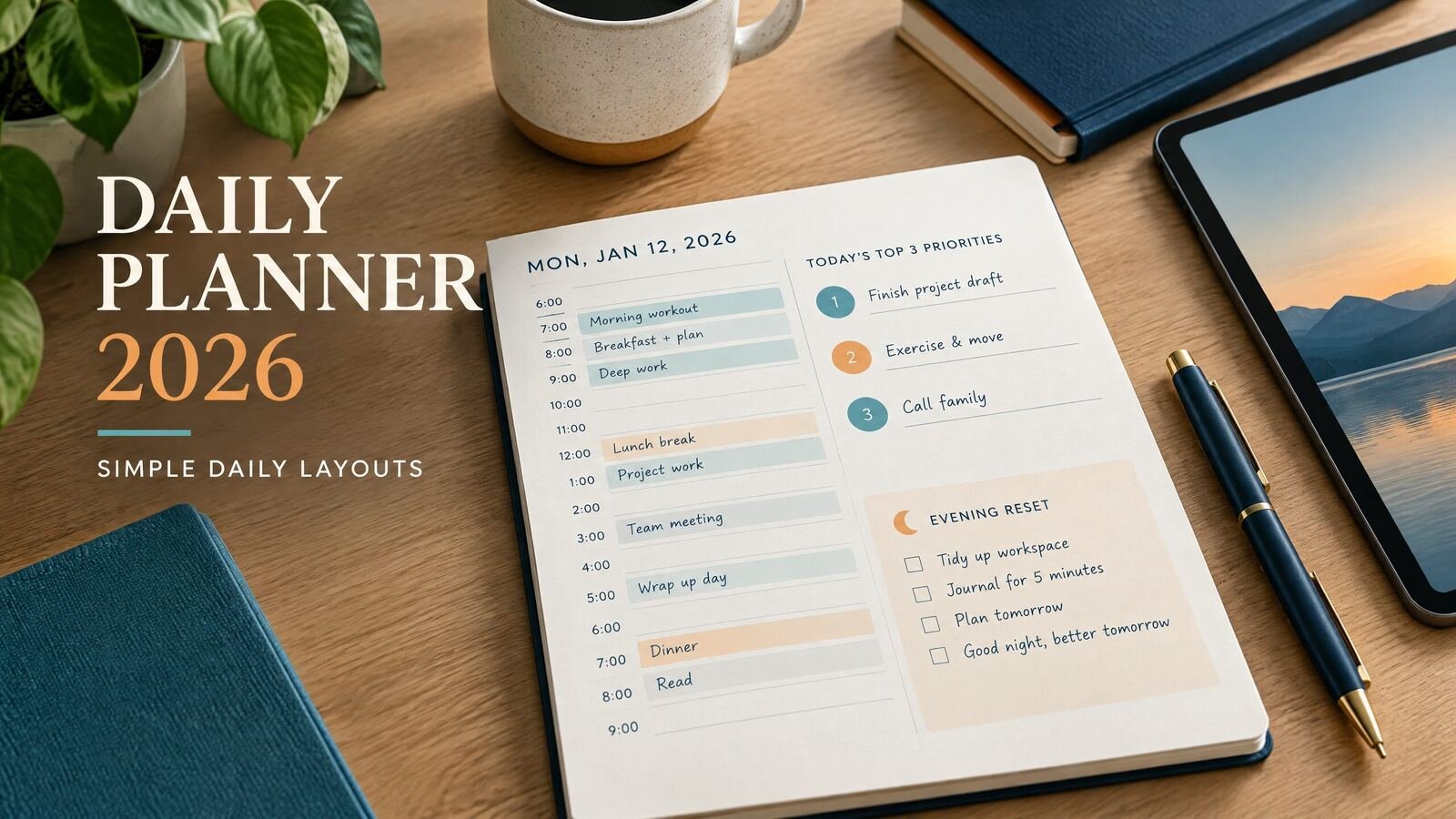
If you are choosing a daily planner for 2026, start with the way you actually spend a weekday. A time-blocked page fits meetings and appointments; a priorities page suits flexible work; an hourly layout helps when classes, shifts, or errands fill the calendar. You do not need a complicated system. Pick a format, enter fixed commitments first, and leave enough open space for work that takes longer than expected.
Download a free daily planning worksheet
Download the one-page daily planner (PDF)
Use this free undated page for one main task, a first small action, fixed time anchors, optional tasks and a restart note. Write the actual date to use it in 2026 or another year. It is a static printable worksheet, not a dated annual planner, linked PDF or reminder app.
No purchase or email signup is required for this file. Keep a blank original and work on a copy. NexalyPlanner's paid apps are separate products.
Quick answer: The best daily planner 2026 layout has a date, two or three priorities, fixed commitments, a realistic schedule, routine tasks, notes, and a short end-of-day review. Paper, printable pages, GoodNotes, offline HTML, and cloud tools can all work. Choose the format that matches your device, handwriting preference, internet access, and backup habits.
What to look for in a daily planner 2026
A year label matters when you want dated pages or a fresh January start. The layout should help you answer three questions: What must happen today? When can it happen? What should move?
Look for these sections:
- Date and day context: Include the date, appointments, or a small link to the weekly or monthly view.
- Top priorities: Two or three outcome-based tasks are easier to act on than a long list of vague projects.
- Time blocks: Use them when the day has meetings, shifts, classes, travel, or deadlines.
- Routine tasks: Keep email, errands, calls, and household tasks visible without letting them crowd out priorities.
- Notes and follow-up: A small space prevents loose details from disappearing into scattered messages.
- Review: Record what was completed, what needs to move, and the first step for tomorrow.
A layout does not need all sections in equal size. A parent may need a wide schedule; a freelancer may need more space for next actions; a student may prefer class times and study blocks.
Free daily planner layouts to use in 2026
A daily page works best when it follows a realistic weekly plan. Start with a weekly planner template for 2026, then move only the tasks you can finish today onto your daily page.
“Free layout” can mean a planning structure you can copy into a notebook, document, or app. It does not necessarily mean a free downloadable product. The following layouts are simple enough to recreate without buying a specialized template.
1. The top-three time-blocked page
Write three priorities at the top, then divide the rest of the page into time blocks. Add fixed events before flexible work. This is a practical default for a workday because it connects tasks to the hours available.
Use this when meetings, appointments, or a firm closing time shape the day. Leave a block unassigned if interruptions are normal. A schedule that uses every minute is difficult to adjust.
2. The two-column priority page
Draw one column for “must move today” and another for “if there is time.” Add a short list of appointments above them. This layout is useful when your hours change or when you prefer to choose the next task as you go.
It does not show whether the list fits the day, so add rough estimates beside larger tasks, such as “outline proposal, 45 minutes.”
3. The hourly schedule with notes
List the day in one-hour or half-hour increments with a notes area beside it. This works well for teaching, service calls, study sessions, or any day where sequence matters. It takes longer to fill out and can be awkward when plans change constantly.
4. The minimalist daily page
Use four prompts: today’s date, one main outcome, a short task list, and a closing note. This is a useful starting point when detailed planners feel like work. It is not an empty page; it still gives you a place to decide what matters and what happens next.
Paper, printable, and digital formats compared
Choose the format you will open before the day gets busy. Consider capture method, access, and backup.
| Format | Best fit | Main advantage | Limitation to consider |
|---|---|---|---|
| Paper notebook or planner | Handwriting and quick visual review | No battery, account, or setup | Edits can become crowded; pages stay in one physical place |
| Printable PDF | Printed pages or handwriting on a tablet | Fixed layout that is easy to duplicate | A PDF is not automatically a task database or calendar sync |
| GoodNotes with a PDF | iPad or tablet handwriting | Pen input with digital storage and page navigation | Tasks and notes remain in the notebook unless you manage them separately |
| Offline HTML planner | Typed planning on a computer without relying on a live connection | Lightweight, editable fields in a browser | Saving and backup depend on the file and browser setup |
| Cloud app such as Notion | Linked pages, databases, and access across devices | Flexible structure and searchable information | More setup and account or internet dependence may be involved |
A printable PDF and an offline HTML planner are not interchangeable. A PDF preserves a page design; an HTML planner accepts typed entries, but saving and backup depend on the setup. Compare formats in the digital planners collection.
A realistic worked example for February 10, 2026
Suppose Maya works from home in the United States and has a 9:00 a.m. client call, a 12:30 p.m. school pickup, and a 3:00 p.m. appointment. She wants to send a proposal, prepare two social posts, and handle email, but pickup may run late.
Her top priorities are:
- Send the revised proposal.
- Draft two social posts for review.
- Confirm next week’s client meeting.
She could fill a daily page like this:
| Time | Plan | Notes |
|---|---|---|
| 8:30–9:00 | Review the proposal checklist and open the final files | Start with a clear next action |
| 9:00–9:30 | Client call | Record decisions in the notes area |
| 9:30–10:45 | Revise proposal and send it | Priority 1, with a defined endpoint |
| 10:45–11:00 | Break and reset | Keep the schedule usable |
| 11:00–12:00 | Draft social post one and outline post two | Priority 2, not “finish all content” |
| 12:00–12:30 | Email and meeting confirmation | Priority 3 can be completed here |
| 12:30–1:30 | School pickup and lunch | Fixed commitment plus transition time |
| 1:30–2:15 | Finish social post two | Continue the earlier work |
| 2:15–2:45 | Buffer for pickup delays or revisions | Flexible space protects the plan |
| 3:00–4:00 | Appointment | Fixed commitment |
| 4:00–4:30 | Send drafts for review and file notes | Close the work loop |
| 4:30–4:45 | Review: done, moved, first step tomorrow | Short shutdown |
This example leaves room for delays and transitions. If the proposal takes longer, Maya can move the second social post. For priorities and carryover tasks, see the complete daily planner guide or daily digital planner setup.
How to choose your 2026 planner in five steps
1. Start with your busiest ordinary day
Choose for a normal Tuesday, not an ideal morning. The page needs room for work, errands, transitions, and interruptions.
2. Decide whether time or priorities need more space
Choose an hourly planner when sequence matters. Choose a priority list when work is flexible. If both matter, use a split page with a narrow schedule and a larger task area. The hourly planner layouts guide compares these choices.
3. Choose your capture method
Use paper or a printable page for handwriting, GoodNotes for tablet annotation, offline HTML for local typing, or a cloud workspace for linked information across devices.
4. Keep long-term information out of the daily page
Put deadlines and recurring commitments in a monthly or weekly view, then bring today’s next actions onto the daily page. A monthly planner setup can hold the wider view.
5. Test the layout for one week
Use one layout for five to seven days. Enlarge used sections, remove blank ones, and rewrite tasks that spill over.
Helpful 2026 planning habits
At the end of each week, review unfinished tasks. Decide whether each was unclear, too large, poorly timed, or no longer important, then rewrite the next action. Keep a consistent date format, preserve an untouched original when needed, and back up important entries.
For more planning formats, visit the NexalyPlanner Journal. If a digital format fits your routine, browse the collection after you have tested the layout.
Key takeaways
- A daily planner 2026 page should show priorities, fixed commitments, workable time, and a next step.
- A free layout idea is not the same as a free downloadable product.
- Time-blocked pages suit appointment-heavy days; priority pages suit flexible work.
- Paper, PDF, GoodNotes, offline HTML, and cloud apps each make different tradeoffs.
- A buffer block makes a plan easier to adjust when real life changes the schedule.
- Keep monthly deadlines and long projects in wider planning views, then bring today’s actions into the daily page.
- Test one layout for a week before adding more sections or switching formats.
Daily planner 2026 FAQ
What should a daily planner include?
Include the date, fixed commitments, two or three priorities, a task list, and a review note. Add hourly blocks when timing matters.
Is there a free daily planner for 2026?
You can create a free daily planner layout in a notebook, document, or app by copying the structures in this guide. Do not assume that a downloadable template is free unless its product page clearly says so.
What is the best daily planner layout for work?
A top-three layout with time blocks shows what matters and when it can happen, while leaving room for routine work and interruptions.
Is a daily planner better than a calendar?
They serve different jobs. A calendar holds appointments and dates; a daily planner turns available time into priorities, next actions, notes, and a review. Many people use both.
Should I use a paper or digital daily planner?
Choose paper for handwriting and a physical page. Choose digital for search, editing, device access, or tablet annotation. Use the option with the fewest steps between noticing and recording a task.
What is the difference between an hourly planner and a daily planner?
A daily planner describes the broader page or planning method for one date. An hourly planner is a daily format that gives more space to specific time slots. You can use a daily planner without assigning every task to an hour.
How many priorities should I put on one daily page?
Start with two or three meaningful priorities. If a priority is a large project, write the next visible action instead, such as “outline the first two sections,” so it can fit into a real block.
How do I keep a daily planner from becoming an impossible to-do list?
Enter fixed commitments first, estimate larger tasks, and leave buffer space. At the end of the day, move only tasks that still matter and rewrite them as clear next actions.