
Useful boutique social media posts help a shopper understand a product, picture a use for it or complete the next buying step. A strong idea gives you something specific to show, rather than another variation of “shop now.”
Below are 30 original post angles for a clothing boutique. Each includes a suggested hook, a visual and a call to action. Adapt every statement to your real products and policies; the hooks are starting copy, not customer quotations or performance-tested claims.
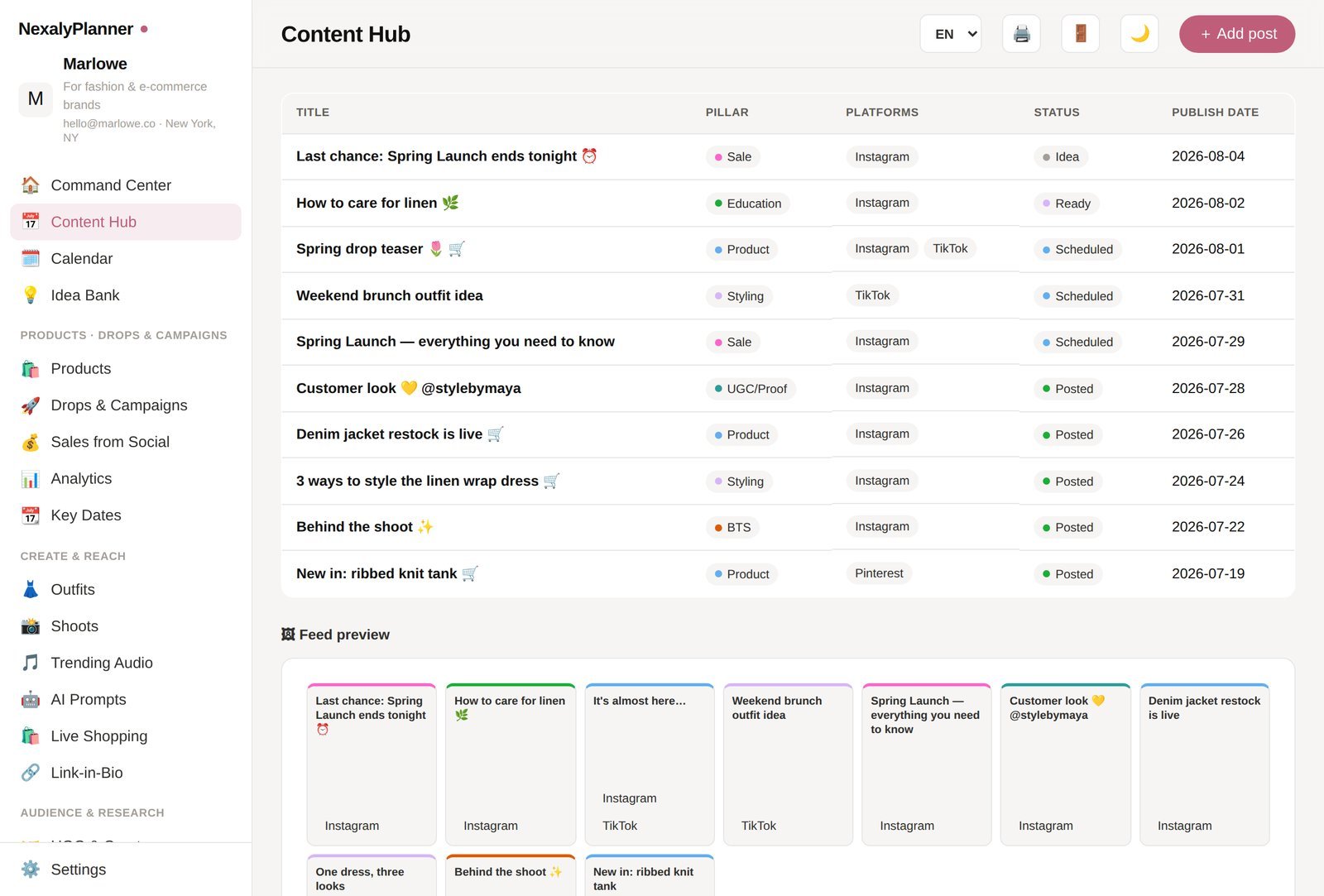
Download the editable boutique post-ideas bank and open Post Ideas. Use the adjacent Content Calendar tab when you are ready to assign dates.
Product-detail posts that answer buying questions
1. The measurement check
Hook: “Check these measurements before choosing your size.” Show a tape measure across the garment using your published measuring method. CTA: “Open the size guide and compare with a garment you own.”
2. A fabric close-up
Hook: “Here is the texture up close.” Film the actual item in steady light without a filter that changes its appearance. CTA: “See the fabric details on the product page.”
3. The pocket demonstration
Hook: “A closer look at the pockets.” Show the opening, depth and placement accurately. CTA: “View the full dress details.”
4. A fastening walkthrough
Hook: “This is how the fastening works.” Demonstrate the buttons, zipper or tie on the real item. CTA: “See all the detail photos.”
5. The color comparison
Hook: “Two available colors, shown together.” Keep the light and camera settings consistent. CTA: “Choose the color you want to inspect.”
6. The care-label explanation
Hook: “Keep the care instructions handy.” Show the label and explain the manufacturer's actual instructions. CTA: “Save this post with your garment-care notes.”
Styling posts built around practical choices
7. One tee, two layers
Hook: “Two layering options for the same tee.” Show both combinations with clearly identified items. CTA: “Browse the pieces used in each outfit.”
8. One scarf, two arrangements
Hook: “Try either of these scarf arrangements.” Demonstrate the steps slowly enough to follow. CTA: “Save the option you want to try.”
9. A simple color pairing
Hook: “Here is one way to combine these colors.” Place the garments together without presenting a personal preference as a rule. CTA: “See both colorways in the shop.”
10. The item-by-item outfit
Hook: “Every piece in this outfit, listed clearly.” Label each item and show which are included in the offer. CTA: “Open the individual product links.”
11. The repeat-wear idea
Hook: “Another use for the piece you already have.” Change an accessory or layer while keeping the main garment. CTA: “Save the combination for later.”
12. The practical detail comparison
Hook: “Choose by the details that matter to you.” Compare two real options by features such as sleeve length or fastening. CTA: “Read both product descriptions.”
Trust-building posts using your real process
13. The packing check
Hook: “What we check before packing this order.” Show the SKU, size and item check without exposing customer information. CTA: “See how our order process works.”
14. The product-photo setup
Hook: “How we photographed this item.” Show the actual setup and final image. CTA: “Explore the full product gallery.”
15. A permission-based customer feature
Hook: “A customer styling idea, shared with permission.” Use an approved photo or video with appropriate credit. CTA: “View the featured piece.”
16. The return-process explanation
Hook: “Where to find our return instructions.” Walk through your current policy accurately. CTA: “Read the complete return policy before ordering.”
17. A delivery-options answer
Hook: “Check your delivery options here.” Show the relevant store information without promising an unverified arrival date. CTA: “Review the available options for your order.”
18. Meet the actual maker or team
Hook: “The person behind this part of the process.” Introduce a real participant with their consent. CTA: “Read more about the shop.”
Conversation posts that improve your content
19. Choose the next close-up
Hook: “Which detail should we show next?” Offer two specific product details you can film. CTA: “Vote for the next demonstration.”
20. The sizing-question box
Hook: “Which measurement needs a clearer explanation?” Invite product questions without asking followers to share sensitive personal details publicly. CTA: “Send your product question.”
21. A product-name check
Hook: “Which description makes this item easier to find?” Compare two accurate names. CTA: “Tell us which wording is clearer.”
22. The next-color question
Hook: “Which color would you like us to consider?” Make clear that interest does not confirm a future launch. CTA: “Share your preference.”
23. The answered question
Hook: “You asked about the garment length—here it is.” Demonstrate the answer on the actual item. CTA: “Open the measurement chart.”
24. The content-recap question
Hook: “Which explanation helped you most this month?” Show a small selection of your own posts. CTA: “Choose the topic you want more of.”
Offer posts with clear terms
25. The in-stock introduction
Hook: “A closer look at an item available now.” Show the item and direct shoppers to current availability. CTA: “Check the available sizes.”
26. A genuine restock
Hook: “This variant is back in stock.” Use the message only after the stock is available under your process. CTA: “View current stock on the product page.”
27. The bundle contents
Hook: “Here is exactly what this bundle includes.” Show each included item and distinguish props or extras. CTA: “Read the bundle price and contents.”
28. A launch-preview detail
Hook: “One detail from the upcoming collection.” Use an approved launch date if you state one. CTA: “See the launch information.”
29. A real deadline reminder
Hook: “This offer ends at the stated time.” Include accurate terms and timezone; use this only for an actual deadline. CTA: “Review the offer before it ends.”
30. The ordering walkthrough
Hook: “How to choose a variant and place an order.” Demonstrate your current buying path. CTA: “Open the shop when you are ready.”
Choose ideas according to the question you need to answer
If shoppers repeatedly ask about size or fabric, start with the product-detail group. If the item is understood but outfit combinations are unclear, use a styling demonstration. If customers stop at checkout with policy questions, explain the real ordering and delivery steps.
Use one primary CTA per post. A request to save a tutorial serves a different purpose from a direct product visit. Record the intended action before publishing so you can evaluate the post against its own goal.
To sequence these ideas, use the 30-day clothing-brand content calendar. For a more structured idea bank and calendar, explore the NexalyPlanner Content Marketing Planner. Its product page describes offline content-planning tools; publishing and platform reporting still need a clearly defined workflow.
Frequently asked questions
What should a new boutique post first?
Show current products, clear measurements, real details and the ordering process. Those posts give a visitor useful buying information even before you have customer contributions.
Do every post and CTA need to sell immediately?
No. Some posts help customers compare, save an explanation or ask a question. Keep the purpose clear, then assess product visits and sales alongside those earlier actions.
Can I use these hooks word for word?
You can adapt the supplied original wording. Confirm that each factual statement matches your own product, stock and policies before publishing it.