
Free study worksheet · Published October 23, 2026
Free Study Guide Template With a Filled Example
A study guide template organizes what you need to explain, practice and check for one topic. This free worksheet has a learning objective, key concepts, an explanation in your own words, a worked question, recall prompts, weak areas and a next revision task. Start with the blank PDF or editable text copy, then compare the filled fraction example.
Download PDF: blank and filled exampleDownload editable text template
Two US Letter portrait PDF pages: page one is blank and page two is a fictional worked example. No signup. The PDF is static, without fillable form fields; the text file can be edited in a plain-text editor. No Excel, Word or native Google Sheets file is supplied.
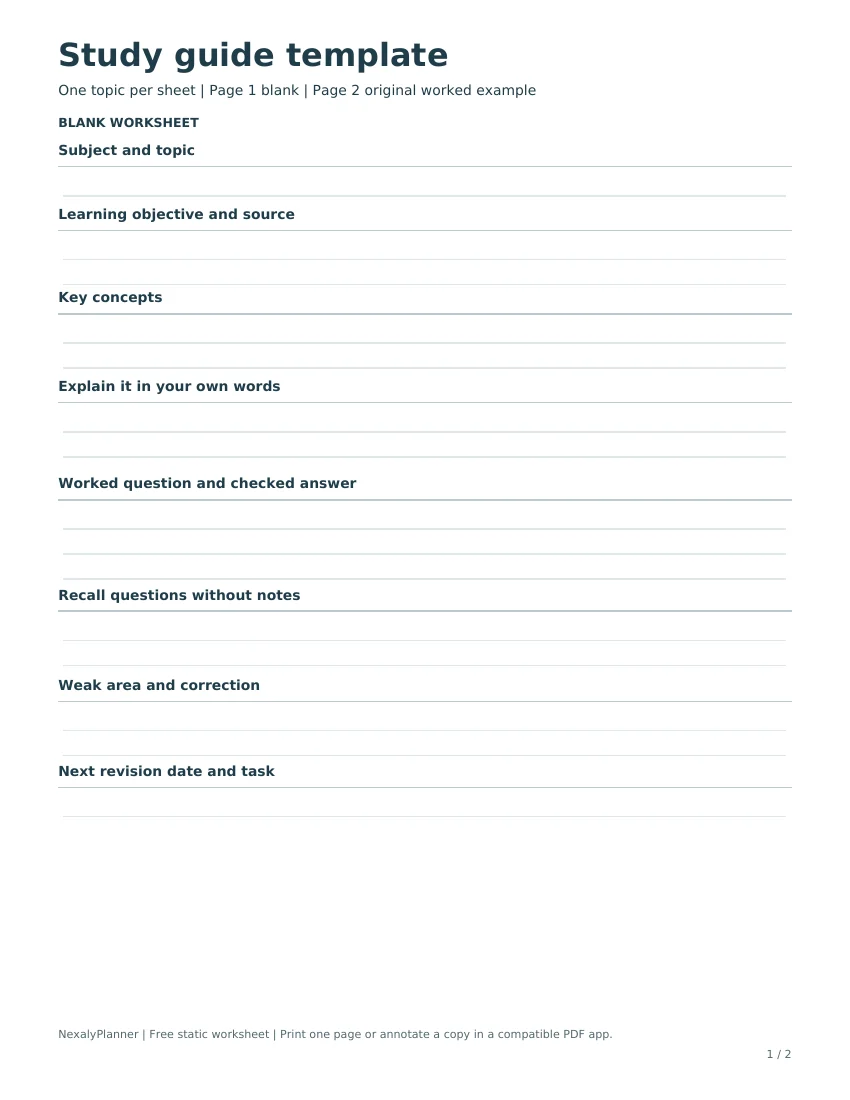
Choose the blank PDF or editable text copy
Choose the PDF when you want a repeatable handwriting layout. Print page one, or annotate a copy in an app that supports PDF markup. Choose the text file when you want to type, add more questions or enlarge a section. Its headings are the same, but a text editor does not preserve the PDF's page layout.
Keep a blank original and make one working copy per topic. Name it with the subject and topic so it can be found later. Neither file uploads your notes, generates answers, tracks progress automatically or synchronizes with another planner.
How to fill out a study guide
- Confirm the topic and source. Use the syllabus, assigned material or instructor's current directions. Keep the scope narrow enough to explain and check.
- Write an observable learning objective. “Add two fractions with different denominators and explain the method” is more useful than “know fractions.”
- Select the concepts that support that objective. Keep definitions short and accurate. Include the source page or lesson reference so an uncertain point can be checked.
- Explain the idea in your own words. Try without notes, then compare with the assigned material. Mark uncertainty rather than polishing an explanation that you cannot yet support.
- Work a question and check the answer. Show the reasoning, units where relevant and the source used to check it. An answer without a method may hide the step you need to practice.
- Add recall prompts. Cover the explanation, attempt a prompt and check afterward. Keep a correction next to the specific error.
- Choose the next revision task. Put a realistic session in your calendar and name the question or explanation to revisit.
Cornell's Learning Strategies Center describes recalling material from memory and returning to it across separate sessions. The worksheet provides room to record those attempts and corrections; it does not prescribe an interval or predict a grade.
Filled example: explain 3/4 + 1/8
The original example uses one small mathematics topic. The objective is to add fractions with different denominators and explain why their units must match. The concept is equivalent fractions: 3/4 can be renamed 6/8 without changing its value.
| Step | Working | What to check |
|---|---|---|
| Rename | 3/4 = 6/8 | Multiply numerator and denominator by the same number. |
| Add | 6/8 + 1/8 = 7/8 | The denominator stays eight because the pieces are eighths. |
| Check | 0.75 + 0.125 = 0.875 = 7/8 | The original values and resulting fraction agree. |
Use the checked answer to identify the step that needs work, rather than marking the whole topic complete. A weak-area note might say, “I added denominators on my first attempt.” The correction is specific: rename the fractions, keep the common denominator and add the numerators. A later prompt is 2/3 + 1/6. Try it before checking the answer: 4/6 + 1/6 = 5/6.
The completed sheet also asks why eighths are useful and gives 1/2 + 1/4 as another practice question, with 3/4 as its checked answer. These examples illustrate how to record reasoning and errors. They are not a complete unit, an assessed answer key or a measure of mastery.
Adapt the fields without copying a whole textbook
For a history topic, the worked-question field can hold a claim supported by a course source, while recall prompts ask you to explain causes or compare interpretations. Keep dates and quotations tied to the assigned material. For science, use a labeled process or worked question with the units required by the course. For literature, record an argument and the passage that supports it rather than a list of unsupported themes.
If the topic will not fit, split it into distinct objectives. Do not shrink an entire chapter into unreadable text. Leave questions that need instructor clarification visible; an unanswered question is a useful next action.
A study guide and a study schedule do different jobs
The guide holds the material and your attempts to explain it. A study schedule holds when you will work on it. The assignment tracker holds coursework due dates and next actions. Keep those references connected without treating them as synchronized files.
For example, the guide records an error in fraction addition; the schedule allocates a practice session; the tracker records a separate assessed worksheet due date. Completing the practice block does not submit that worksheet. If you want a broader offline system, review the AI Student Planner and its user guide. It is a separate paid product, and the free downloads do not depend on it.
Save a working copy and check the print layout
Download the PDF or text file to your device and confirm the filename before editing. For a blank paper copy, print PDF page one in portrait orientation on US Letter. Use the print preview for A4 or a different printer; scaling can change writing space. Page two is the completed example, not a blank form.
If you annotate a PDF, save a named copy, close it and reopen it to confirm your annotations remain. For text, save your edits as a separate .txt file. Keep a backup where you can find it. The site does not recover a deleted or unsaved local copy.
Frequently asked questions
Is this study guide template free?
Yes. The PDF and text copy are direct downloads without a purchase or email signup. Paid student planners are separate.
Can I type directly in the PDF?
It has no fillable form fields. You can use a compatible annotation app, or type in the supplied text file. Save and reopen a test copy before using it for important notes.
Is this a Google Docs or Word template?
No native document or copy link is supplied. The editable download is plain text, and the formatted version is PDF. You can paste your text into your preferred editor, but its formatting will depend on that editor.
How many topics belong on one sheet?
Start with one objective that can be explained and checked. Split a broad topic when its concepts or questions need separate practice.
Does completing it mean I am ready for the exam?
No. Check your answers against the course material, inspect remaining gaps and follow the instructor's requirements. A filled page does not establish understanding or guarantee a result.
OPTIONAL NEXT STEP
When one free worksheet is not enough
This free study guide helps organize one topic for active recall. Compare the AI Student Planner if you also need assignment deadlines, exams and scheduled study sessions. Its offline planning workflow does not automatically import content from the worksheet. The free template stays available without a purchase; its files and backups do not automatically import into the paid product.