
FREE · NO ACCOUNT NEEDED
Reserved vs Available Stock Planner
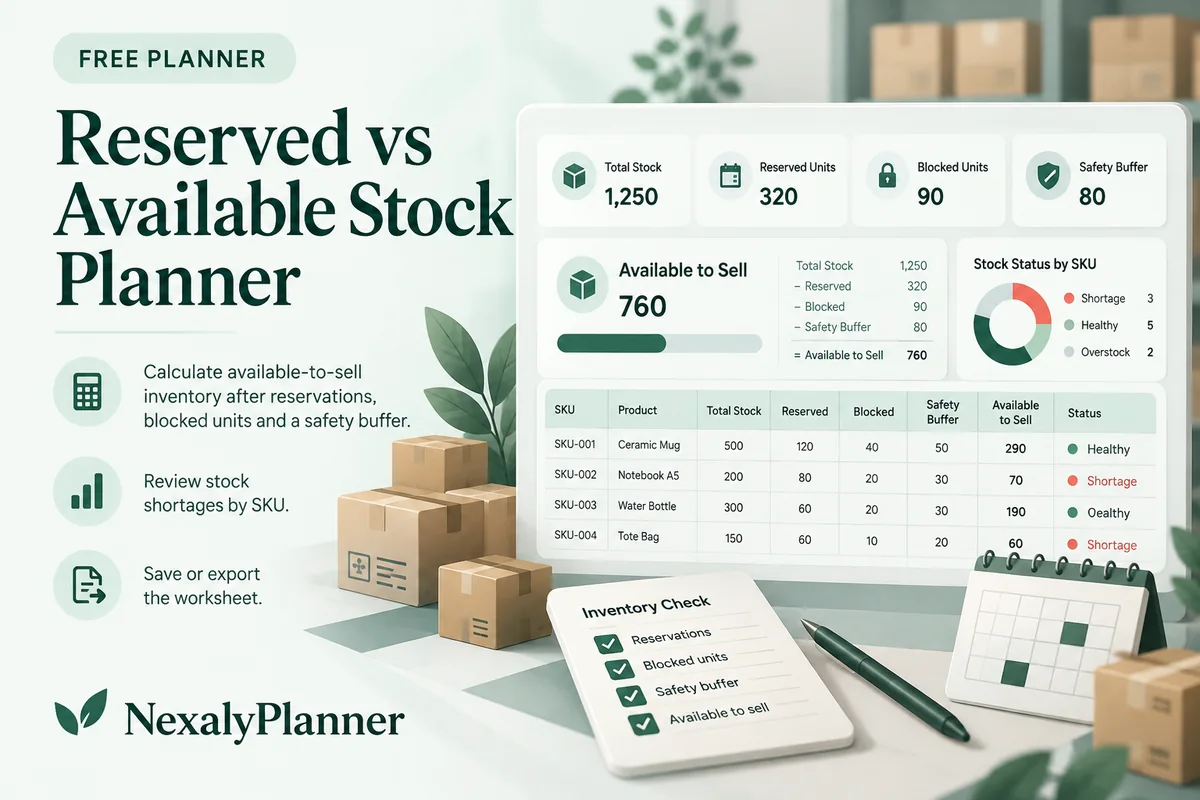
Calculate available-to-sell inventory after reservations, blocked units and a safety buffer. Review stock shortages by SKU; save or export the worksheet.
- 1Set up
- 2Add records
- 3Review & save
Set up your worksheet
Stock counting noteKeep reserved, blocked and buffer quantities separate. Do not enter the same unit in more than one group.
Your report
Enter your details and records, then calculate to review the results.
Save or download your work
Work stays in this page until you choose Save on this device. Device saves belong to this browser and can be removed by clearing browser data. JSON keeps an editable backup; CSV and PDF keep a report.
Reserved vs Available Stock Planner: complete guide
What you can do
- Separate reserved, blocked and buffer quantities.
- Zero-floor availability with explicit shortage reporting.
- Per-SKU review instead of a misleading negative sellable figure.
- Up to 100 editable rows, explicit device saving, JSON backup, CSV and browser PDF printing.
How to use this planner
- Count physical units and use one row per SKU.
- Separate customer reservations from damaged stock and your uncommitted buffer. Do not count the same unit twice.
- Review available-to-sell units and any shortfall before taking another order.
- Save the review and update your actual store quantities through your normal process.
Inputs and units
| Field | Input rule |
|---|---|
| Stock review label | Required. Up to 160 characters. |
| Count date | Required. Calendar date, 1900–2200. |
| SKU / item | Required. Up to 160 characters. |
| Physical on-hand units | Required. Whole numbers from 0 to 1000000. |
| Reserved units | Required. Whole numbers from 0 to 1000000. |
| Damaged / quarantined units | Required. Whole numbers from 0 to 1000000. |
| Uncommitted safety buffer units | Required. Whole numbers from 0 to 1000000. |
How the result works
For each SKU, subtract reserved, blocked and safety-buffer units from physical on-hand units. Show a floor of zero for available-to-sell units and a separate shortfall if exclusions exceed the count. Summaries add units across SKUs; they do not make different products interchangeable.
Worked example with fictional data
100 on hand − 25 reserved − 5 blocked − 10 buffer = 60 available units. If reservations rise to 95, raw availability is −10: the report shows zero available and a 10-unit shortfall.
Limits to keep in mind
Available to sell = max(0, on hand − reserved − blocked − buffer). Excluded quantities must be separate groups, not overlapping counts. Negative raw availability appears as a shortfall, not sellable stock. This snapshot does not sync with a store.
Review the result before acting
- Check shortages SKU by SKU; a surplus of one product cannot cover another product’s reservation.
- Confirm canceled reservations before freeing units for sale. Follow the cancelled-order stock release example before updating this snapshot.
- Use a fresh count for important orders; an old worksheet is not live inventory.
Save, restore and export
Add entry creates another record. Edit any field directly or use Remove entry to delete a row. Changing inputs clears the previous report so it cannot be mistaken for current results. Choose Calculate / review results again when your changes are ready.
Save on this device keeps an editable worksheet in this browser only. On a later visit in this browser, your saved worksheet loads automatically. Restore device save can also reload the last save after you confirm replacement. Saving drafts is allowed, but a report requires valid, complete inputs. Download backup creates a versioned JSON file for the same tool. Import backup shows the worksheet label and row count before replacing current work; it does not change the device save until you press Save.
Download CSV exports the settings, summary, row details and calculation notes. CSV is for spreadsheet review; it cannot restore this worksheet. Print / Save PDF recalculates the current entries and opens your browser’s print dialog. Choose Save as PDF where supported. The report excludes navigation, guides and product CTAs. Clear data removes the current worksheet and its device save after confirmation; keep a backup first if needed.
Use a personal browser for private records and keep important backups separately. Entered worksheet fields are not included in our planner-action analytics.
Frequently asked questions
Does this update Shopify or Etsy inventory?
No. It is a manual stock snapshot. Enter updated counts whenever orders, cancellations or stock movements change your records.
What belongs in the buffer?
Only additional units intentionally held back that are not already reserved or blocked. Enter zero if you do not hold a separate buffer.
Is it free, and can I move my work to another device?
All worksheet features are free without an account. Save on this device keeps data in this browser; use an editable JSON backup to transfer it. CSV and PDF are reports, not import files. There is no cloud sync or background monitoring.
Continue the planning workflow
WHEN YOU NEED A BROADER WORKFLOW
Inventory & Procurement Planner
Keep a broader stock and purchasing workflow in one offline application. Read the guide and preview the product to check whether it fits your work. This free planner stays free; its JSON backup does not import into the paid application.
For a focused next step, use the free Boutique Size & Color Stock Matrix to review counted stock by style, color and size.
Keep incoming purchases outside the physical count
In a fictional review, 20 units on hand minus 18 reserved, three blocked and one separate buffer produces raw availability of minus two. The report shows zero available and a two-unit shortfall. A purchase order for ten more units does not change today's physical on-hand count.
If ten usable units later arrive and are accepted, and the other groups remain unchanged, on-hand becomes 30 and availability becomes eight. Keep incoming quantities in the purchase order tracker until receipt is verified. Use the Supplier Quote Comparison planner only after reviewing what quantity you actually need.