
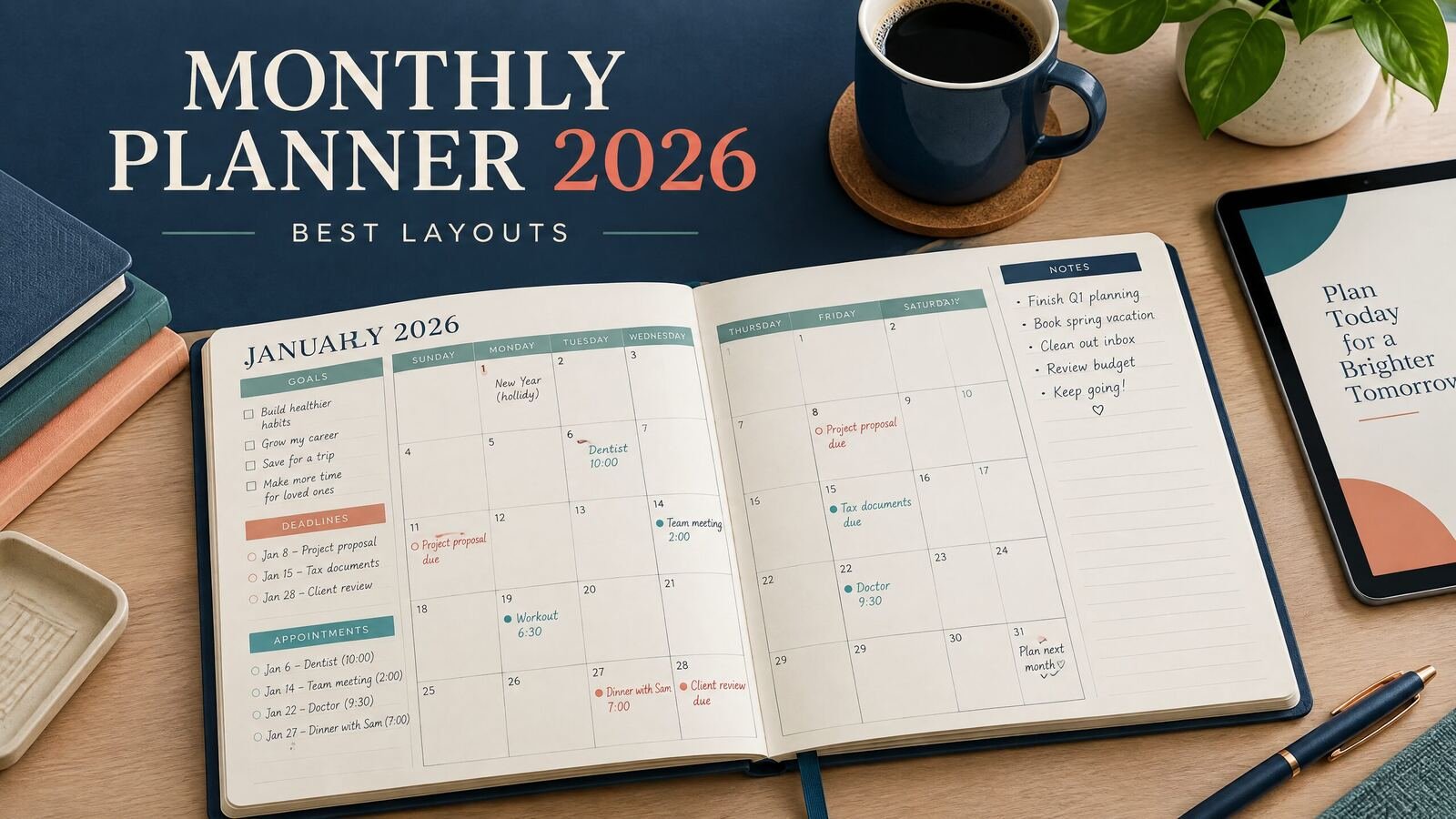
A monthly planner 2026 works best when it shows the whole month at a glance and leaves enough room for the details that matter to you. For most people, the strongest setup is a one-page calendar grid for appointments and deadlines, plus a notes or priorities section for tasks that do not belong on one exact date. Choose a vertical layout for busy schedules, a Monday-start grid for planning weeks, or a dashboard layout if you need goals, habits, and budget notes in the same place.
Quick answer: The best monthly planner layout for 2026 depends on how you plan. Use a classic grid for appointments, a vertical monthly layout for time-sensitive work, a dashboard for goals and habits, or a two-page spread when a single page feels crowded. Start by listing what you need to see every month, then select the layout that gives those items consistent space.
What a monthly planner should help you see
A monthly page sits between a calendar and a task list. It should show what is happening, what needs preparation, and what deserves attention before the month ends. For a 2026 planner, check that the dates, weekdays, and month transitions are accurate. A dated planner saves setup time, while an undated monthly planner can be reused when plans change.
The best monthly planner layouts for 2026
1. Classic calendar grid
The classic grid divides the month into seven columns and five or six rows. It is the most familiar option and the easiest to share with a partner, family member, or team. Each date gets a small box, so the layout is best for short entries such as “dentist, 2 p.m.” or “submit application.”
Choose this layout if your priority is seeing conflicts. It works well for appointment-heavy months, school calendars, travel planning, and household coordination. Use a notes area for the month’s top three priorities because a grid provides little room for undated tasks.
2. Vertical monthly layout
A vertical monthly planner gives each week or day a taller writing area. It is useful when entries need more than a few words.
3. Two-page monthly spread
A two-page spread gives the calendar one page and the planning notes the other. The second page can hold monthly goals, a task parking lot, a meal outline, a reading list, or a short review of the previous month. This is a good middle ground when the classic grid is too tight but a full dashboard feels distracting.
4. Monthly dashboard
A dashboard combines the calendar with small panels for goals, habits, finances, projects, or routines. It can be useful for people who want a monthly reset page rather than a simple date reference. A dashboard is especially practical for a small business owner who wants to track a launch, content themes, inventory checkpoints, and personal commitments together.
5. Minimalist monthly layout
A minimalist planner uses a clean grid, generous margins, and few labels. It is a strong choice if you already have a separate task manager or if visual noise makes it harder to decide what belongs on the page. Add a small “next month” line and one notes box if you need a place for carryover items.
Minimal does not mean empty. It means the page has a clear job. If you need more structure, compare it with the [minimalist planner guide][1] before choosing a sparse layout.
Monthly planner layout comparison
| Layout | Best for | Main strength | Limitation | Add-on that helps |
|---|---|---|---|---|
| Classic grid | Appointments and shared schedules | Fast month-at-a-glance view | Small writing areas | Notes box or weekly pages |
| Vertical month | Deadlines and detailed entries | More room beside dates | Harder to scan across weeks | Priority strip |
| Two-page spread | Personal planning and projects | Separates dates from tasks | Takes more space | Monthly review section |
| Dashboard | Goals, habits, and business planning | Several planning categories together | Can become crowded | Limit to three or four panels |
| Minimalist grid | Simple schedules and low-clutter planning | Easy to maintain | Few prompts for reflection | Next-month and notes lines |
How to choose your 2026 monthly planner layout
Next, identify whether your month is date-driven or project-driven. A date-driven month has many appointments and fixed events. Choose a classic grid or a vertical layout. A project-driven month has milestones, preparation tasks, and flexible work. Choose a two-page spread or dashboard so you can see both dates and next actions.
Then decide where your weekly and daily planning will happen. A monthly page should not replace every other planning page. If you use a daily layout for time blocking, keep the monthly page focused on deadlines and themes. The [daily planner guide][2] explains how a daily page can handle the details that do not fit comfortably in a monthly box.
A realistic worked example for March 2026
If you want a blank calendar to fill in yourself, compare the free 2026 monthly planner layouts. Keep detailed tasks in a weekly planner so your month view stays readable.
Imagine that Maya works full time, takes an evening course, and helps run a Saturday craft market. Her March 2026 commitments include a March 4 dentist appointment, a March 9 assignment, a March 14 market, a March 18 presentation, and a March 27 car service appointment. She also needs a website update and two product batches.
A classic grid can hold the five fixed commitments, but it has no sensible place for the website update or product preparation. Maya chooses a two-page spread instead. On the calendar page, she writes only fixed events and uses a small symbol for the market. On the notes page, she creates three sections:
- March priorities: finish the website update, submit the course assignment, prepare for the market.
- Preparation: website draft by March 12; product batch one by March 7; product batch two by March 11.
- Review points: check course materials on March 1 and inventory on March 13.
She assigns each preparation item to a week: the first covers the website draft and product batch one; the second covers the assignment and batch two; the third covers the presentation and market follow-up; and the final week includes the car appointment and an April preview.
For a student-heavy schedule, a dedicated [student planner guide][3] may be more useful than adding class details to every monthly page. For an hourly workday, the [hourly planner layout guide][4] can help you move time-specific tasks to a daily page while keeping monthly deadlines visible.
A simple monthly planning routine
Set up the month in four passes. First, add fixed commitments from your work, school, household, and personal calendars. Second, add preparation dates before major events. A presentation on March 18 may require research on March 10 and a rehearsal on March 16. Third, choose up to three monthly priorities. Fourth, scan for overload and move flexible tasks to later weeks.
If you want to compare formats, browse NexalyPlanner’s [digital planner collection][5]. It includes planner options for daily focus, students, homeschool, small business planning, and other workflows. Product formats and features vary, so check the individual product page before choosing one.
Common mistakes to avoid
Avoid filling every date box with tasks, choosing a layout only for appearance, or carrying every unfinished item into a new month. Keep flexible work in a notes area, and rewrite repeatedly moved tasks as smaller actions. A monthly view shows what is coming; a weekly or daily page shows when you will do it. Use the [NexalyPlanner Journal][6] for related planning guides.
Frequently asked questions
Is a monthly planner better than a weekly planner?
Neither is automatically better. A monthly planner is better for long-range visibility, deadlines, and events. A weekly planner gives you more room to assign tasks to specific days, so many people use both.
What should I put in a monthly planner?
Add appointments, deadlines, travel, school dates, launches, bill due dates, and other commitments tied to a date. Use a notes section for monthly goals, preparation tasks, and items that can move.
Should a 2026 planner start on Sunday or Monday?
Choose the week start that matches your habits and existing calendar. Sunday-start pages can match common US wall calendars, while Monday-start pages can make workweeks easier to compare. Consistency matters more than the choice itself.
Is a dated or undated monthly planner better?
A dated monthly planner is faster to set up and reduces date-entry errors. An undated planner can be reused when plans change or when you do not need all twelve months. Pick dated pages for convenience and undated pages for flexibility.
Can I use a monthly planner for work and personal life together?
Yes, if you can distinguish the categories without making the page crowded. Use simple labels or colors, and keep sensitive details out of a shared page. If the calendar becomes too dense, use separate work and personal pages or a two-page spread.
How many monthly goals should I choose?
Three is a practical starting point because it keeps the page focused. If one goal includes several projects, define the month’s next action rather than listing the entire project. The right number is the amount you will review consistently.
What is the best monthly layout for a busy schedule?
A vertical layout or two-page spread usually provides more writing room than a basic grid. If you have many fixed appointments, keep the calendar grid and move preparation tasks to a separate notes page.
Can a digital monthly planner work offline?
Some digital planner products are designed to work offline, but the exact behavior depends on the product and app. Review the product description and compatibility details before purchasing. Do not assume every planner app has the same offline features.
How do I plan a month without overloading it?
Add fixed events first, then schedule the preparation they require. Choose a short list of priorities and leave open space for ordinary tasks, changes, and recovery time. A useful monthly page should show capacity, not just commitments.
Key takeaways
- Choose a classic grid for appointments and a vertical layout for longer entries.
- Use a two-page spread when you need both a calendar and a real task area.
- Use a dashboard only when you will review its goal, habit, or project panels.
- Keep fixed events on the calendar and flexible tasks in a notes or weekly section.
- Match the Sunday or Monday week start to the calendar system you already use.
- In a 2026 planner, verify dates and month transitions before adding commitments.
- Review the page at month-end and move, revise, or remove unfinished tasks deliberately.
For a setup that connects monthly direction with daily execution, see how to set up a monthly planner and compare offline digital planners.