
FREE · NO ACCOUNT NEEDED
Subscription Price Increase Budget Planner
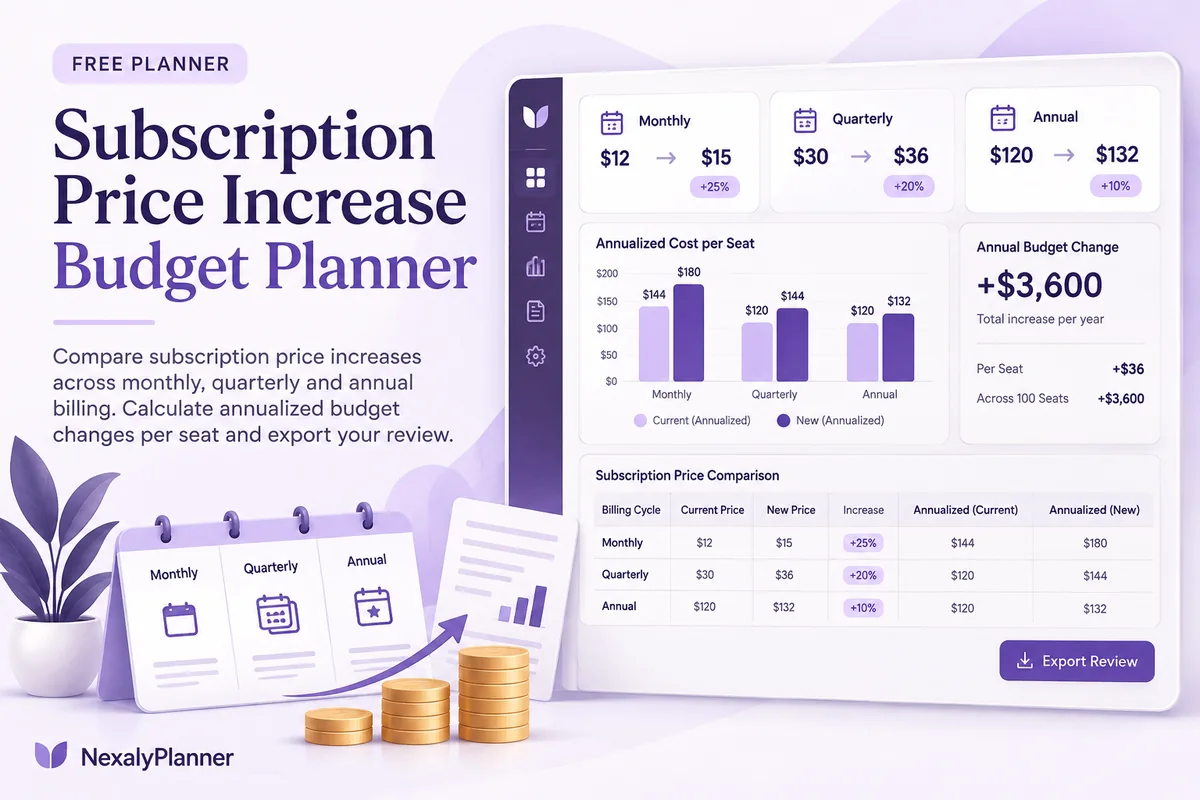
Compare subscription price increases across monthly, quarterly and annual billing. Calculate annualized budget changes per seat and export your review.
- 1Set up
- 2Add records
- 3Review & save
Set up your worksheet
Per-seat billingEnter the charge for one seat or unit per billing cycle. The report compares annualized costs; effective dates do not prorate totals.
Your report
Enter your details and records, then calculate to review the results.
Save or download your work
Work stays in this page until you choose Save on this device. Device saves belong to this browser and can be removed by clearing browser data. JSON keeps an editable backup; CSV and PDF keep a report.
Subscription Price Increase Budget Planner: complete guide
What you can do
- Comparable annualized totals across three billing cycles.
- Per-seat or unit quantities included explicitly.
- Zero old-price handling and decreases supported.
- Up to 100 editable rows, explicit device saving, JSON backup, CSV and browser PDF printing.
How to use this planner
- Choose one currency and name your budget review.
- Enter current/new per-cycle charges, billing cadence and paid seats.
- Record the effective date from the provider’s notice.
- Compare annualized changes, review actual renewal timing, then export a decision record.
Inputs and units
| Field | Input rule |
|---|---|
| Subscription budget review | Required. Up to 160 characters. |
| Currency | Required. Choose USD, GBP, CAD, AUD, EUR, NZD, AED. |
| Service / subscription | Required. Up to 160 characters. |
| Current charge per billing cycle | Required. Numbers with at most two decimals from 0 to 1000000. |
| New charge per billing cycle | Required. Numbers with at most two decimals from 0 to 1000000. |
| Billing cycle | Required. Choose Monthly, Quarterly, Annual. |
| Paid seats / units | Required. Whole numbers from 1 to 100000. |
| New price effective date | Required. Calendar date, 1900–2200. |
How the result works
Monthly uses 12 cycles per year, quarterly 4 and annual 1. Percentage change uses the old charge; zero old price shows “Not defined (old price is zero)” instead of dividing by zero. Effective dates stay visible as planning records; they do not prorate the calculation.
Worked example with fictional data
USD 10 becomes USD 12 monthly for 3 seats. The old annualized cost is 10 × 12 × 3 = USD 360; the new cost is USD 432, an increase of USD 72 per year and 20%.
Limits to keep in mind
Annualized cost = per-cycle charge × cycles per year × seats. Annual change is new annualized cost − old annualized cost. This is a full-year run-rate comparison, not a prorated forecast. Tax, exchange rates and discounts are excluded unless included in your entered charges.
Review the result before acting
- Sort decisions by the size of the annualized change, then check contract and renewal timing.
- Check whether the provider quoted a per-seat price or a flat account charge.
- Use the weekly cash planner for actual payment dates instead of treating run-rate cost as a cash forecast.
Save, restore and export
Add entry creates another record. Edit any field directly or use Remove entry to delete a row. Changing inputs clears the previous report so it cannot be mistaken for current results. Choose Calculate / review results again when your changes are ready.
Save on this device keeps an editable worksheet in this browser only. On a later visit in this browser, your saved worksheet loads automatically. Restore device save can also reload the last save after you confirm replacement. Saving drafts is allowed, but a report requires valid, complete inputs. Download backup creates a versioned JSON file for the same tool. Import backup shows the worksheet label and row count before replacing current work; it does not change the device save until you press Save.
Download CSV exports the settings, summary, row details and calculation notes. CSV is for spreadsheet review; it cannot restore this worksheet. Print / Save PDF recalculates the current entries and opens your browser’s print dialog. Choose Save as PDF where supported. The report excludes navigation, guides and product CTAs. Clear data removes the current worksheet and its device save after confirmation; keep a backup first if needed.
Use a personal browser for private records and keep important backups separately. Entered worksheet fields are not included in our planner-action analytics.
Frequently asked questions
Does the annualized increase equal this year’s cash impact?
Not necessarily. It is a full-year run rate. The effective date, remaining billing cycles and prorations can change the actual cash paid this year.
Where should I put a flat account price?
Enter the whole account charge and use one seat/unit. Do not multiply a flat price by your number of users.
Is it free, and can I move my work to another device?
All worksheet features are free without an account. Save on this device keeps data in this browser; use an editable JSON backup to transfer it. CSV and PDF are reports, not import files. There is no cloud sync or background monitoring.
Continue the planning workflow
WHEN YOU NEED A BROADER WORKFLOW
RenewGuard OS
Keep renewal decisions and records in a broader offline workflow. Read the guide and preview the product to check whether it fits your work. This free planner stays free; its JSON backup does not import into the paid application.