
FREE · NO ACCOUNT NEEDED
Caregiver Visit Coordination Planner
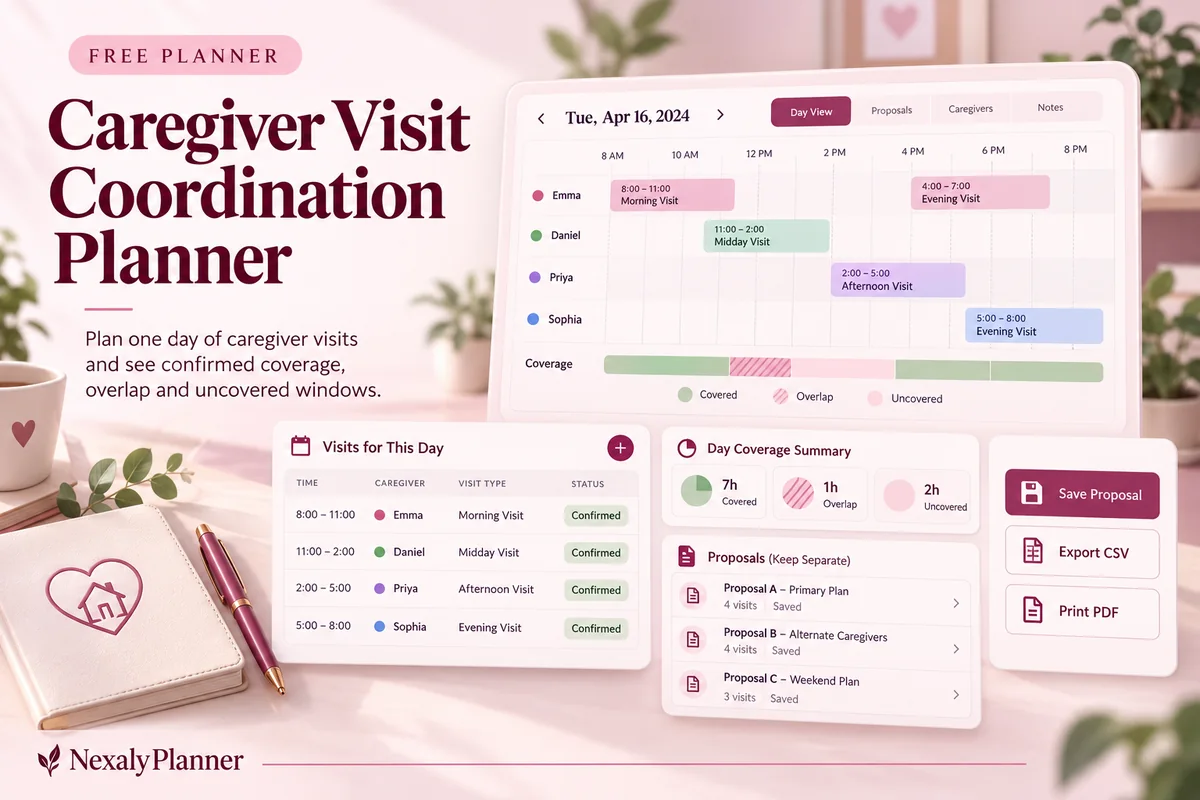
Coordinate visits for one day without a complicated care dashboard. Set the coverage window, enter proposed or confirmed helpers, and see any uncovered time.
1. Enter your details. 2. Add records. 3. Calculate and save a copy.
Set up your worksheet
One day and one local timezone per plan. Availability times are optional; enter both or leave both blank.
Your report
Enter your details and records, then calculate to review the results.
Save or download your work
Work stays in this page until you choose Save on this device. Device saves belong to this browser and can be removed by clearing browser data. JSON keeps an editable backup; CSV and PDF keep a report.
Shared device? Use nicknames and avoid a device save if other people can access this browser. Downloaded files can also contain the details you enter.
Caregiver Visit Coordination Planner: complete guide
What this free planner does
- Confirmed coverage and uncovered windows measured in minutes.
- Proposed visits kept separate from agreed coverage.
- Optional helper availability and recipient coordination notes.
- Up to 100 editable entries, explicit device saving, JSON backup, CSV and browser PDF printing.
How to use it
- Name the plan using a nickname if preferred, select the date and enter the start and end of the needed coverage window.
- Add each helper’s visit start, visit end and confirmation status. Mark Confirmed only after the helper has agreed directly.
- Optionally enter the helper’s available-from and available-until times. Enter both or neither; a visit must fit inside an entered availability window.
- Calculate. Review uncovered windows and overlapping visits, then contact helpers yourself to resolve the plan. Update confirmations and recalculate before sharing it.
Inputs and units
| Field | Input rule |
|---|---|
| Visit plan label / nickname | Required. Up to 160 characters. |
| Visit date | Required. A calendar date; date-only entries do not shift with browser timezone. |
| Coverage needed from | Required. Time on the plan date; end times must follow start times. |
| Coverage needed until | Required. Time on the plan date; end times must follow start times. |
| Recipient preferences / coordination notes | Optional. Up to 400 characters. |
| Helper name or nickname | Required. Up to 160 characters. |
| Visit starts | Required. Time on the plan date; end times must follow start times. |
| Visit ends | Required. Time on the plan date; end times must follow start times. |
| Helper confirmation | Required. Choose Proposed, Confirmed. |
| Available from (optional) | Optional. Time on the plan date; end times must follow start times. |
| Available until (optional) | Optional. Time on the plan date; end times must follow start times. |
How the calculation works
Confirmed coverage is the union of confirmed visit intervals inside the needed window. Overlapping minutes count once toward coverage. Uncovered time = needed window duration − confirmed coverage. The report also counts minutes when two or more confirmed visits overlap; proposed visits never fill coverage gaps.
Worked example with fictional data
A fictional family needs coverage from 09:00 to 12:00. One confirmed helper visits 09:00–11:00, leaving 60 minutes uncovered from 11:00 to 12:00. A proposed visit for 11:00–12:00 leaves that gap unchanged until it is marked Confirmed. If another confirmed visit runs 10:30–12:00, the whole window is covered and 30 minutes overlap.
Before you save your plan
- Check the coverage window and distinguish proposed helpers from confirmed visits.
- Review uncovered periods with the family; this planner coordinates visits and does not replace care instructions.
Find the gap between overlapping and proposed visits
A fictional family plans household support from 09:00 to 13:00 on one date, using the same local timezone. The needed window is 240 minutes. Two helpers have confirmed their visits directly; a third visit remains proposed.
| Helper | Visit | Status | Counts toward coverage? |
|---|---|---|---|
| A | 09:00–10:30 | Confirmed | Yes |
| B | 10:00–11:00 | Confirmed | Yes |
| C | 12:00–13:00 | Proposed | No |
A and B cover 09:00–11:00 together: 120 minutes, with 30 minutes of overlap. Adding their visit lengths would incorrectly suggest 150 minutes of coverage. The uncovered window is 11:00–13:00, or 120 minutes, because C has not confirmed.
If C agrees and you change only that status to Confirmed, coverage becomes 180 minutes. A 60-minute gap remains from 11:00 to 12:00. The overlap remains 30 minutes. Three confirmed names therefore do not mean the whole window is covered.
- Check the actual required window with the people arranging support. Enter one day per worksheet.
- Contact helpers directly and record their agreement before changing Proposed to Confirmed.
- Discuss uncovered windows and whether any overlap is intentional. Recalculate after changing visit times or confirmations.
- Share the reviewed report directly with the agreed helpers and confirm receipt. The worksheet sends no messages.
Prepare unfinished household tasks in the separate family caregiver handoff sheet. Coverage and task records do not transfer automatically. Keep this visit plan focused on arrangements and preferences; it does not determine care needs or provide clinical instructions.
Assumptions and common mistakes
This caregiver visit coordination planner organizes agreed visits. It does not assess care needs, make medical decisions, send invitations or contact helpers. All times refer to one date in the same local timezone. Overnight visits must be split across separate daily plans. A covered window only reflects entered confirmations, so verify the real arrangement directly.
An overlap can be useful for a handoff, but a duplicated row can create misleading overlap. If the same helper appears twice, check the times and names. A visit outside the needed window remains in the report but contributes no coverage there. Keep sensitive clinical details in an appropriate separate record; short household preferences are enough for this worksheet. On shared devices, use nicknames and save only after checking who can access the browser.
Save, restore and export
Add entry creates another record. Edit any field directly or use Remove entry to delete a row. Changing inputs clears the previous report so it cannot be mistaken for current results. Choose Calculate / review results again when your changes are ready.
Save on this device keeps an editable worksheet in this browser only. On a later visit in this browser, your saved worksheet loads automatically. Restore device save can also reload the last save after you confirm replacement. Saving drafts is allowed, but a report requires valid, complete inputs. Download backup creates a versioned JSON file for the same tool. Import backup shows the worksheet label and row count before replacing current work; it does not change the device save until you press Save.
Download CSV exports the settings, summary, row details and calculation notes. CSV is for spreadsheet review; it cannot restore this worksheet. Print / Save PDF recalculates the current entries and opens your browser’s print dialog. Choose Save as PDF where supported. The report excludes navigation, guides and product CTAs. Clear data removes the current worksheet and its device save after confirmation; keep a backup first if needed.
Frequently asked questions
Does a proposed caregiver visit fill a gap?
No. Only Confirmed visits count toward coverage. Proposals remain visible so you can follow up.
Does overlapping coverage count twice?
No. The covered minutes count once. Overlap minutes are reported separately so you can review the arrangement.
Will helpers receive the plan automatically?
No. Download a report and share it yourself after checking the entries and the recipients.
Is this tool free, and does it sync between devices?
All worksheet, saving and export features are free without an account. There is no cloud synchronization. Transfer a JSON backup to another device and import it into this same tool.
Related planning resources
- Read the caregiver daily log and handoff guide.
- Read the Caregiver Planner for Aging Parents user guide for the broader workflow.
- Browse all available free planners by category.
- A caregiver daily log you can copy and adapt.
- Prepare a family caregiver handoff for the next helper. This is a separate worksheet; records do not transfer automatically.
- Browse the free caregiving planners to compare these workflows.
EXPLORE A BROADER WORKFLOW
Need more than this one worksheet?
Explore Caregiver Planner for Aging Parents and read its guide to see how the full product fits your records. This free planner remains available without a purchase. Its JSON backup is not an import file for the paid product.